

How to Convert Instamatic Film
Convert 110 Film Negatives to Digital
Q. How to load 110 film?
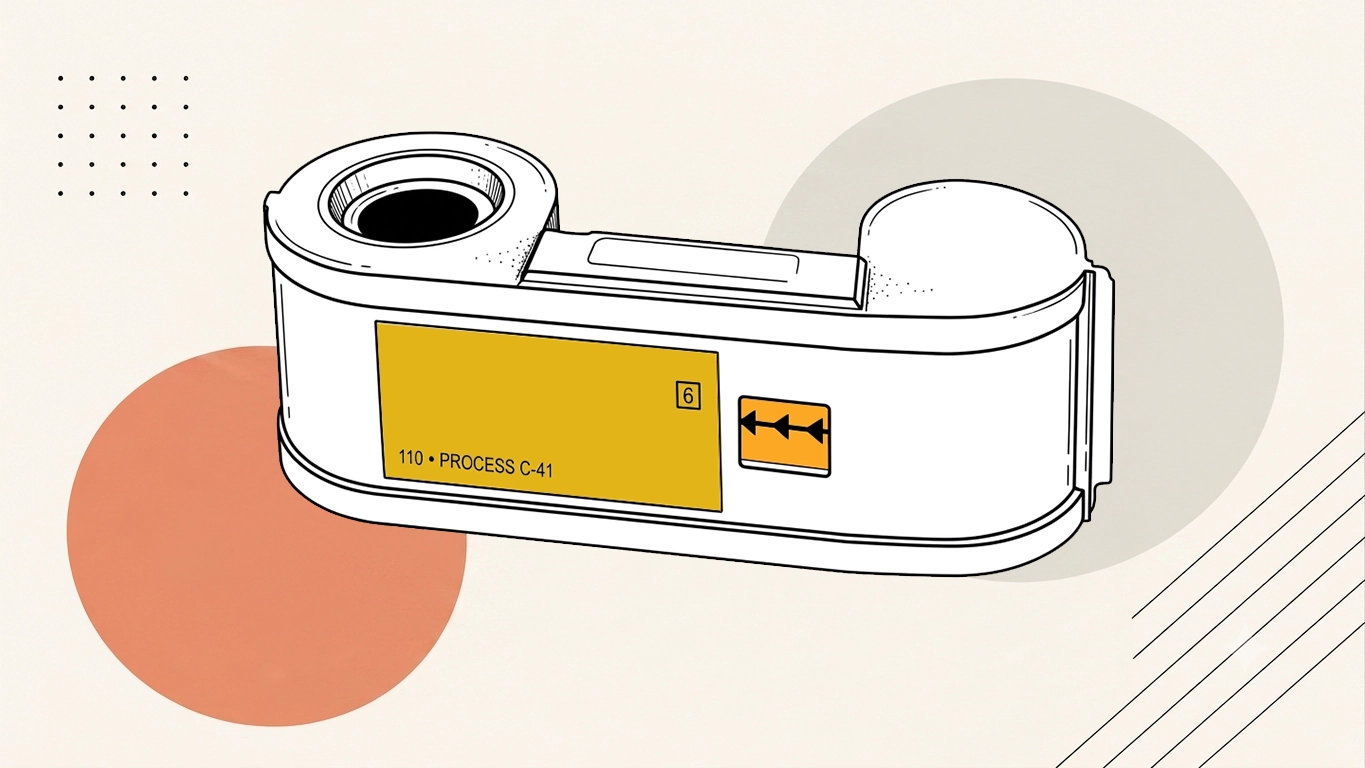
110 Film is supplied in a cartridge and is normally loaded by opening the camera back, placing the cartridge into the film chamber and closing the camera securely. The exact procedure varies by camera model, so the original camera instructions should be followed where available.
Q. How to develop 110 film?
110 film is developed by using compatible playback or scanning hardware and recording the output digitally.
Q. How many exposures on 110 film?
Modern 110 film generally provides 24 exposures per cartridge. Historically, 110 film was also produced in 12- and 20-exposure versions. The format uses a small cartridge with the frame number visible through a window on the back.
Q. How much does 110 film scanning cost?
Prices currently start from £29.99 per project and include a free digital download. The final cost depends on the amount of 110 film and the scanning work required.
Q. How to tell if 110 film is used?
To tell if 110 film is used, the original needs to be played or scanned with compatible equipment and captured into a digital file.
Scan 126 Film
Q. How long is a 24 exposure roll of film?
A 24-exposure roll of 35mm film contains roughly a metre of image-bearing film, plus additional leader and trailer, so the total strip is somewhat longer. Exact length varies slightly by manufacturer and loading allowance.
Q. How long is a roll of film?
There is no single length for every roll of photographic film. The physical length depends on the film format and number of exposures, so a 24-exposure roll is shorter than a 36-exposure roll even though both may use the same 35mm film width.
Q. How is scanning 126 slides different from scanning 35mm slides?
126 Slides use a square image area, whereas standard 35mm slides normally contain a rectangular image. Because the formats differ in frame shape and image area, scanning 126 slides requires the scanner setup, framing and cropping to be adjusted specifically for 126 film so the full photograph is captured correctly.
Q. How many 6x7 shots on 120?
A roll of 120 film normally gives about 10 frames in the 6×7cm format. The exact count can vary slightly with the camera because frame spacing and the actual image dimensions differ between models.
Q. How do you scan 126 film?
At Supaphoto, we use specialised flatbed and film scanners equipped to handle the unique frame size and spacing of 126 negatives. Each negative strip is cleaned to remove dust and scanned in high resolution — up to 6,200 dpi — to capture every detail. After scanning, our technicians digitally crop, adjust colour, and correct exposure, ensuring your images look vibrant and sharp. You'll receive your photos as digital files, either via USB, download link, or CD/DVD.
Q. How many exposures in a roll of film?
It depends on the film format and roll. A standard 35mm film commonly contains 24 or 36 exposures, although other lengths have been produced. Medium-format 120 film produces different numbers of photographs depending on the camera's frame size—for example, a 6x6 camera typically gives 12 exposures from one roll.
Q. How much does 126 film scanning cost?
Prices currently start from £29.99 per project and include a free digital download. The final cost depends on the quantity of 126 film and the scanning work required.
Q. How many photos in one roll of film?
The number depends on the film and camera. 35mm film commonly provides 24 or 36 photographs, while 120 medium-format film can produce roughly 8–16 images depending on the frame size used by the camera. Other formats, including 110 and APS, have their own exposure counts.
Q. How many photos in a roll of film?
The number of photographs on a roll depends on the film format and roll length. A standard 35mm roll commonly contains 24 or 36 exposures, while medium-format film produces fewer images because each frame is larger.
Q. How should I prepare my 126 film for scanning?
To ensure the safest delivery, place your 126 negatives or slides in protective sleeves or archival envelopes. Avoid using sticky materials or plastic bags that might damage the film. Include your completed order form and contact details before sending them by post to:.
Scan APS Film to Digital
Q. How do you extract and scan APS film safely?
APS film is extracted and scanned safely by using compatible playback or scanning hardware and recording the output digitally.
Q. How to scan APS Film?
Developed APS film can be digitised using a scanner capable of handling the smaller APS negative format. Specialist equipment can extract the film from its cartridge, scan the individual frames at high resolution and convert them into JPEG, TIFF or other digital files. Avoid opening APS cartridges yourself, particularly if you are unsure whether the film has been developed, as exposed but undeveloped images could be ruined.
Q. How to digitise APS film?
Digitising APS film requires specialised equipment that can handle the sealed cartridge design. At Supaphoto, we use professional APS film scanners that extract, clean, and scan the negatives safely without damaging them. Each frame is captured in high optical resolution, and our technicians adjust exposure, colour balance, and contrast to ensure beautiful results. Once digitised, your images are saved as JPEG or TIFF files, ready to be viewed on your computer, printed, or shared with friends and family.
Q. How much does it cost to scan APS Film?
The cost of scanning APS film can vary depending on factors such as the resolution of scanning, the number of frames, and any additional services required. Basic scanning services without additional enhancements tend to be more affordable, while higher-resolution scanning or services like colour correction and restoration may incur additional fees. Supaphoto's prices can be as low as £9.99. All listed prices are inclusive of VAT.
Q. How to develop aps film?
To develop APS film, we work from the original, capture its usable content and prepare the resulting file for modern playback or storage.
Scan Kodak Disc Film
Q. How does a kodak camera work?
A Kodak camera works by allowing light through the lens to create an image. In a traditional Kodak film camera, pressing the shutter briefly exposes the photographic film to light. The film is then chemically developed to reveal the photographs. Kodak digital cameras work differently: an electronic image sensor captures the light and converts it into a digital photograph, which is stored on internal memory or a memory card.
Q. How can I tell if my Kodak Disc film has been developed?
Developed Kodak Disc films have visible negatives — you'll see small, coloured frames inside the plastic disc cartridge. If the film looks opaque or blank, it may not have been developed yet. We can only scan Kodak Disc negatives that have already been processed, so if you're unsure, feel free to send them in for assessment — we'll check and let you know before scanning begins.
Q. How do kodak cameras work?
Kodak film cameras work by allowing light through the lens to expose photographic film when the shutter is released. The exposed film is subsequently chemically processed to reveal the photographs. Kodak-branded digital cameras instead use an electronic image sensor, which converts incoming light into digital image data and stores the resulting photographs electronically.
Q. How much does it cost to scan Kodak Disc film?
Pricing depends on the number of discs and your chosen scan quality. Every scan includes film cleaning, high-resolution digitisation, and basic colour correction. Supaphoto also offers a best-price guarantee, ensuring you get top-tier quality at a fair rate. Supaphoto's prices can be as low as £9.99. All listed prices are inclusive of VAT.
Q. How to scan Kodak Disc negatives?
Scanning Kodak Disc film requires specialised equipment because of the disc's circular design and the small size of each negative. At Supaphoto, our technicians use professional flatbed and custom film scanners designed to capture the full image area of each frame without distortion. We first clean and prepare the negatives to remove dust and debris, then scan each image individually at a high optical resolution. Finally, we adjust brightness, contrast, and colour to ensure every photo looks clear and vibrant. Your digitised Kodak Disc photos can then be delivered via USB, digital download, or DVD.
Q. How much does it cost to develop kodak disc film?
The cost of developing Kodak Disc film varies depending on factors such as the specific lab or service provider, any additional services requested (such as scanning or printing), and the location. We welcome inquiries and would love to hear from you about your Kodak Disc film development needs. Supaphoto's prices can be as low as £9.99. All listed prices are inclusive of VAT.

