

An SD card can often last 10 years or more under normal use, according to the SD Association, but there is no guaranteed lifespan for the photographs, videos or other files stored on it. Card quality, write cycles, handling, temperature, storage conditions and the device using it can all affect reliability. SD Association
| Question | Practical answer |
|---|---|
| How long can an SD card last? | Often 10+ years under normal use |
| Can an SD card suddenly fail? | Yes |
| Do write cycles affect lifespan? | Yes |
| Should valuable files live only on an SD card? | No |
| Is an unused card a permanent archive? | No |
| Best protection | Copy important files to other storage |
The brief supplied for this article specifies “SD card” as the primary keyword and asks for a 1,500-word UK-focused article answering this question in a useful, authoritative way. Pasted markdown
What Actually Determines an SD Card’s Lifespan?
An SD card contains NAND flash memory. Unlike a traditional hard drive, it has no spinning platters or mechanical read/write head. Information is stored electronically in memory cells.
Those cells don’t last indefinitely.
Writing, deleting and rewriting information gradually wears flash memory. Different types of NAND technology also have different characteristics, and the SD Association notes that program/erase cycles are one factor affecting flash-memory endurance. SD Association
In everyday use, however, physical wear isn’t the only consideration. An SD card can become unreliable because of:
- heavy write and erase activity;
- removing it while data is being written;
- physical damage to the card or contacts;
- heat, moisture or unsuitable storage conditions;
- corruption or unexpected power interruption;
- problems with the camera, reader or other host device.
This explains why two apparently identical cards may have very different working lives.
Do SD Cards Really Last 10 Years?
The SD Association says current SD memory-card technology, with normal usage, typically provides a lifespan of 10 years or more. SD Association
That figure needs to be interpreted carefully.
It doesn’t mean that every SD card will work perfectly for at least ten years, nor that a photograph copied to a card today can safely be put in a drawer and assumed to remain accessible a decade later.
The lifespan of the device and the preservation of the files are related but different questions.
A high-quality card used occasionally and stored carefully may remain readable for many years. Another card exposed to intensive use or physical damage could fail considerably sooner.
For irreplaceable photographs and videos, therefore, don’t plan around the theoretical lifespan of the card. Plan around the possibility that any individual card could fail.
Why SD Cards Wear Out
Flash memory has a finite number of program/erase operations.
Every time information is written and erased, the memory cells experience a degree of electrical wear. Modern flash controllers manage this intelligently, spreading writes around the available memory rather than repeatedly using exactly the same cells.
This means ordinary camera use doesn’t equate to simply counting how many photographs you’ve taken.
Workload matters too. A card recording high volumes of video continuously has a different usage pattern from one holding a few holiday photographs.
Card construction and the underlying NAND technology can also influence endurance. The SD Association identifies SLC, MLC and TLC among the NAND variants used for different applications. SD Association
For most photographers, there is little benefit in trying to calculate the remaining write life of an ordinary memory card. Good backup practice is far more valuable.
Can an SD Card Lose Data While Sitting Unused?
An unused SD card shouldn’t be considered a permanent digital archive.
Flash memory stores data electrically, so long-term retention isn’t the same as preserving a photograph on an inert physical object. Storage conditions and the condition of the memory itself matter.
There’s also another problem: future accessibility.
The National Archives points out that the effective lifespan of electronic storage isn’t determined solely by the physical medium. It also depends on whether the technology required to access it remains current. National Archives
This is an important principle of digital preservation.
Even if an old memory card remains physically readable, you’ll still need a compatible reader, computer interface, file system and software capable of accessing its contents.
The safest approach isn’t to find a storage device that lasts forever. It is to periodically move important digital files onto current storage technology.
How Can You Tell If an SD Card Is Failing?
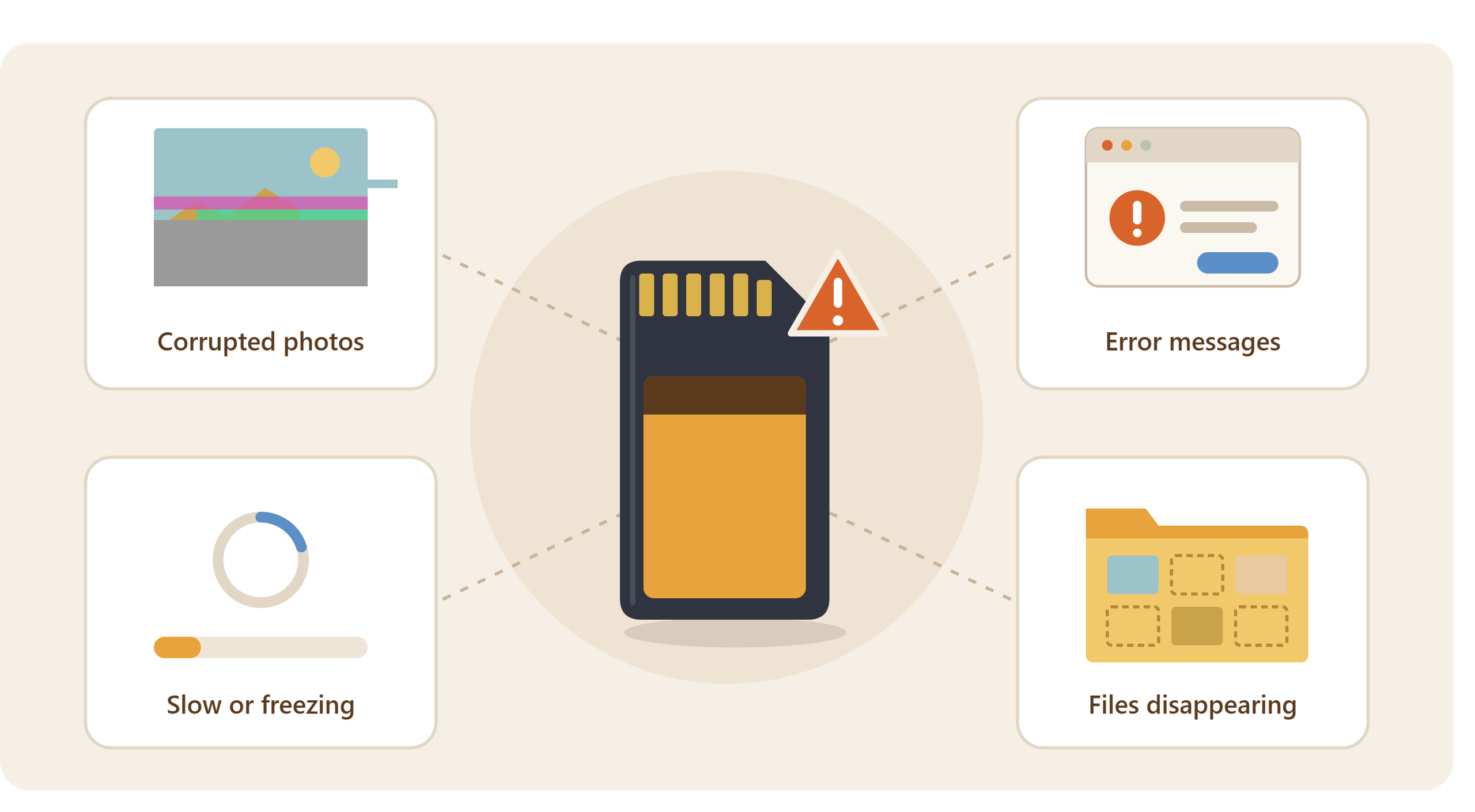
SD cards don’t necessarily provide a convenient warning before failure, but certain problems should be treated seriously.
You may notice photographs that won’t open, missing files, unusually slow writing, error messages from your camera, repeated requests to format the card or a computer intermittently failing to recognise it.
If a card contains valuable material and starts behaving unexpectedly, avoid repeatedly writing new information to it.
Don’t format it simply because a camera or computer suggests doing so if the existing files matter.
The priority should be preserving whatever data is still accessible.
The National Archives recommends checking digital material promptly and performing checks to make sure file formats, titles and content are what you expect. The National Archives
What Should You Do With Photos After Using an SD Card?
A memory card works particularly well as the first stage of a photographic workflow.
After taking photographs or recording video:
- Copy the files from the SD card to your computer or primary storage.
- Confirm that the transfer has completed.
- Open a selection of photographs and videos rather than assuming the copy worked.
- Create a second independent copy on another storage device or system.
- Keep particularly valuable material in another physical location.
- Only erase or reformat the SD card when you’re satisfied that your other copies are safe.
This transforms the SD card from your archive into what it does particularly well: portable capture media.
The National Archives recommends identifying records on removable storage and transferring them to a more secure storage environment. It also advises maintaining at least two copies of digital records. The National Archives
Should You Leave Family Photos on Old Memory Cards?
It’s surprisingly easy to accumulate a drawer containing SD cards, microSD cards and older camera memory cards.
Each one may contain photographs from a different holiday, wedding, birthday or period of family life. After several years, remembering what is on each card becomes difficult.
Don’t assume that because a card worked the last time you used it, it will always remain readable.
Instead, consolidate important photographs onto properly organised current storage and create backups.
The Library of Congress follows the same underlying preservation principle professionally: digital content received on external media is copied from those carriers into managed storage because external media is vulnerable to physical damage and other risks. The Library of Congress
If you’ve accumulated old camera cards and would prefer the contents consolidated, Supaphoto’s service for transferring files from memory cards provides a practical route for moving accessible memories onto more convenient current media. This is also the specific service page requested in the supplied brief. Pasted markdown
SD Card vs microSD: Does One Last Longer?
A microSD card is essentially a smaller physical format within the SD family.
The SD Association states that the principal differences between SD, miniSD and microSD concern their form factor, dimensions, number of pins and write-protection arrangement. SD Association
You therefore shouldn’t assume that a full-size SD card automatically provides a longer archival life simply because it’s physically larger.
When choosing storage, pay more attention to using an appropriate card from a reputable source, following the equipment manufacturer’s requirements, handling it correctly and—most importantly—maintaining backups.
For long-term preservation, neither format should contain the sole copy of valuable files.
How to Help an SD Card Last Longer
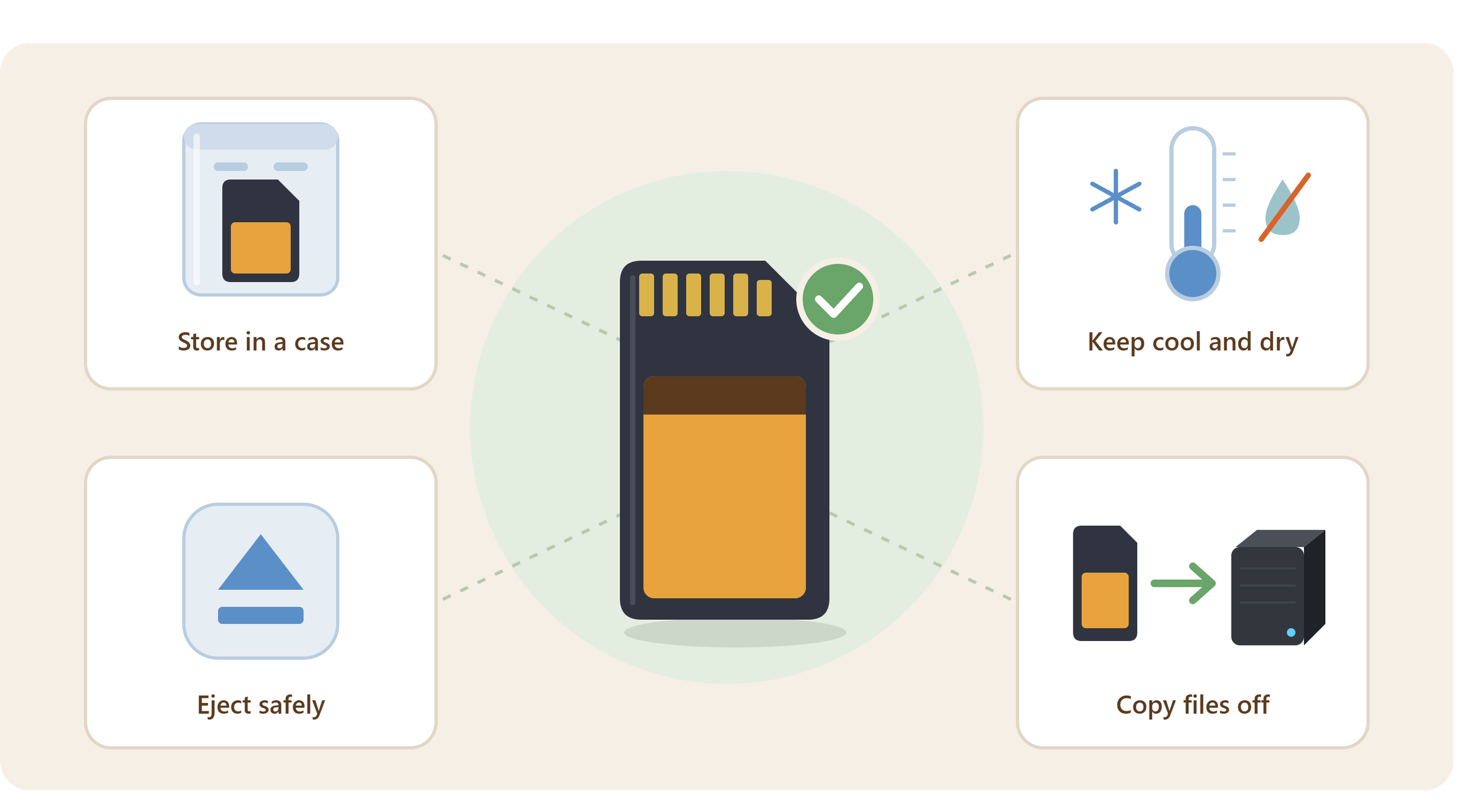
Good handling can’t guarantee that a card will never fail, but it can reduce avoidable risks.
Keep cards clean and dry, protect them from physical damage and use a proper case when they’re outside the camera. Avoid touching the exposed contacts unnecessarily.
Allow your camera to finish writing before removing the card or switching equipment off. When transferring files, use the operating system’s appropriate eject procedure before disconnecting a reader where applicable.
Avoid treating one large card as the permanent home for years of photographs.
The National Archives’ guidance on removable media notes that electronic storage can be susceptible to damage through mishandling and inappropriate storage conditions. National Archives
Most importantly, don’t confuse careful storage with backup. A perfectly stored card is still a single copy.
Are SD Cards Good for Long-Term Storage?
For the only copy of important photographs or videos, no.
That doesn’t mean SD cards are unreliable products. They are extremely useful portable storage devices and are particularly well suited to cameras and other compact electronics. The problem is relying on any single removable device as an archive.
Long-term preservation works differently.
The National Archives recommends creating several copies, keeping them in different physical locations and considering different storage technologies. The National Archives
For family photographs, that might mean keeping your working collection on a computer, another copy on an external HDD or SSD, and an additional copy off-site or in appropriate cloud storage.
If one copy disappears, another survives.
Frequently Asked Questions About SD Card Lifespan
Do SD Cards Degrade Over Time?
Flash memory has finite endurance, so SD cards shouldn’t be regarded as permanent storage. Their practical lifespan varies with construction, usage and conditions.
How Often Should I Replace My Camera’s SD Card?
There isn’t one replacement interval that applies to every card and user. A lightly used card and one subjected to continuous high-volume recording have very different workloads. Replace cards showing errors or unreliable behaviour and maintain backups regardless of age.
Can I Store Photos on an SD Card for 20 Years?
A card may remain readable for a long time, but relying on one untouched SD card for 20 years isn’t a sound preservation strategy. Copy important material to other storage and migrate it as technology changes.
Does Formatting an SD Card Shorten Its Life?
Flash memory has finite write/erase endurance, but ordinary users generally don’t need to avoid sensible camera formatting purely to preserve the card. Correct workflow and backups are more important.
Should I Throw Away an Old SD Card?
Age alone doesn’t necessarily make a card useless. However, if a card becomes unreliable, develops errors or contains important material that exists nowhere else, prioritise copying or recovering the data rather than continuing normal use.
The Most Important Thing Isn’t How Long the Card Lasts
Asking how long an SD card lasts is useful, but it shouldn’t determine how you protect valuable digital memories.
The SD Association’s guidance indicates that normal use can typically provide a lifespan of 10 years or more, yet digital preservation depends on far more than the theoretical life of one storage device. SD Association
Move important photographs and videos away from removable media, maintain multiple verified copies and periodically review where they’re stored. That’s far safer than leaving an irreplaceable collection untouched on one card and hoping it remains readable indefinitely.
And when valuable files are trapped on old, unfamiliar or problematic memory cards, it can make sense to choose a professional company with years of experience handling digital memories, such as Supaphoto Ltd.

