• 00Days
  • 00Hrs
  • 00Mins
  • 00Sec
  • 00Days
  • 00Hrs
  • 00Mins
  • 00Sec
  • Home
  • INSPIRATION – How to Convert Cine Film

How to Convert Cine Film (All Gauges)

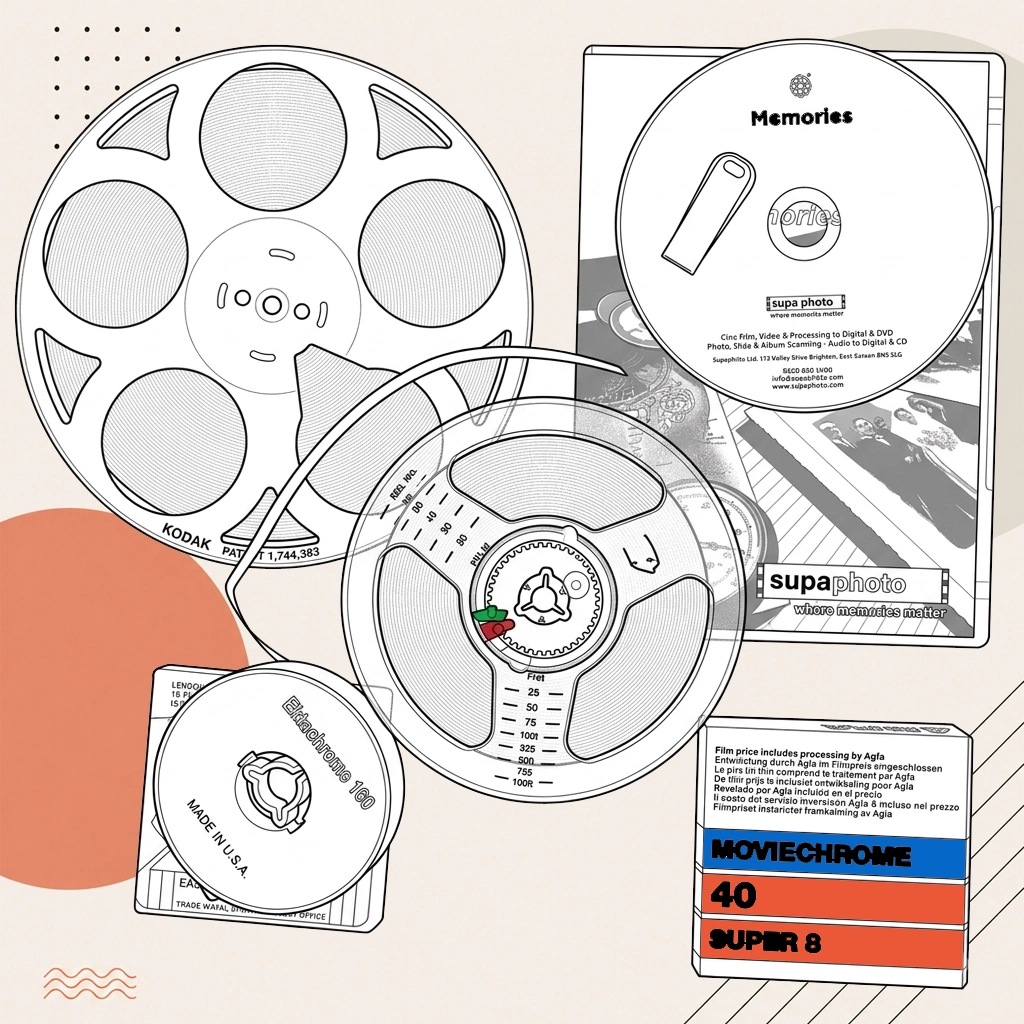
How to Convert Cine Film (All Gauges) illustration

Converting Cine Film to Digital

Q. How to convert old film reels to digital?

Old film reels are converted to digital by using compatible playback or scanning hardware and recording the output digitally.

Q. How to convert cine film to digital?

Cine film is best converted using a frame-by-frame film scanner, which captures each individual frame digitally rather than simply projecting the film onto a screen and recording it. Before scanning, the reel should be inspected, cleaned and repaired where necessary. The captured footage can then undergo colour and exposure correction before being supplied as a modern digital file such as MP4.

Q. How to convert old movies to digital?

For 8mm and Super 8 cine film, we first inspect, clean and prepare each reel, checking splices and correcting reels wound the wrong way. A £29.99 one-off preparation charge applies per order. We then scan the film frame by frame in 2K HD using professional sprocketless equipment, with colour correction included. Current standard capture prices are £14.99 for a 3-inch reel, £34.99 for a 5-inch reel and £54.99 for a 7-inch reel. Digital download, USB or DVD output is currently £29.99 per hour of finished footage. But don't worry. Our published prices are a general guide, and we always try to help our customers by applying bigger discounts for volume. Ultimately, we constantly strive to meet and exceed our customers' expectations, as can be seen in our reviews.

Q. How can I restore damaged or degraded cine film before conversion?

For customers, physical restoration of the reel by repairing broken sprocket holes or splices is the first step. In practice, digital restoration can then be performed using software to remove scratches, dust, and to correct colour fading. *IMPORTANT* - please do not attempt to clean or fix your cine film before sending it to us, as you may accidentally make it worse, so please leave it to the experts.

Q. How can I restore damaged or degraded cine film before sending it for conversion?

For customers, restoring old film requires expertise and precision. In practice, first, we carry out physical restoration, carefully repairing damaged splices and broken sprocket holes. Generally, then, our digital restoration process removes scratches, dust, and faded colours. In many cases, we strongly advise against attempting to clean or fix your cine film yourself, as even small mistakes can cause permanent damage. Leave the restoration to Supaphoto Ltd's experienced technicians, who know exactly how to protect and enhance your reels.

Q. How do you ensure accurate colour reproduction during the cine film to digital conversion process?

For customers, to maintain accurate colour reproduction, our team carefully calibrates scanners before every job and applies colour correction during post-production. Supaphoto Ltd's extensive experience ensures faithful hues, natural contrast, and beautifully balanced tones, so your digitised films look true to life while preserving their vintage charm.

Q. How do you preserve the original aspect ratio of cine film during conversion?

In many cases, preserving your film's original aspect ratio is a priority in our workflow. For customers, our scanning equipment and editing software are configured to maintain the original proportions, ensuring that your movies aren't cropped, stretched, or distorted. Supaphoto Ltd guarantees your digitised films look exactly as intended.

Q. How do you ensure the colour accuracy during the cine film to digital conversion process?

In practice, colour accuracy can be maintained by calibrating the scanner and using colour correction tools within your editing software. It's advisable to have a good understanding of colour grading to achieve accurate results. Here at Supaphoto Ltd we're highly experienced at cine film conversion and Supaphoto Ltd will always ensure accurate colour reproduction for your film.

Q. How do you maintain the original frame rate when converting cine film to digital?

In practice, maintaining the original frame rate is crucial to preserve the intended motion look. Generally, film scanners and telecine machines usually have settings to select the frame rate. In many cases, we always ensure that the frame rate matches the original film's frame rate, commonly 24fps for cine film.

Q. How do you maintain the correct original frame rate while converting cine film to digital?

In practice, maintaining the original frame rate of your cine film is essential for authentic playback. Our scanners are calibrated to match each film's true frame rate, usually 24fps for most cine reels. In this situation, this ensures your digitised footage retains its natural motion and cinematic feel without jittering or distortion — something DIY setups often fail to achieve.

Q. How is cine film scanned to digital?

Supaphoto Ltd uses high end scanners which digitise each frame individually, allowing for the very highest-quality conversions. For customers, other methods people sometimes use is capturing, which usually refers to real-time playback and recording, which results in a much lower quality.

Q. How exactly is cine film scanned to digital?

Supaphoto Ltd uses high-end frame-by-frame film scanners that capture each image individually, ensuring maximum sharpness and detail. Generally, by contrast, cheaper real-time "capture" methods record projected film with a camera, resulting in lower resolution and visible flicker. Supaphoto Ltd's scanning process produces professional-grade digital files suitable for archiving, editing, or sharing online. Supaphoto used a range of dedicated cine film scanners from 2K to 5K to faithfully reproduce every frame.

Q. How to convert old film to digital?

The process to convert old film to digital is to read the original on suitable legacy equipment, capture the content and create the required digital output.

Q. How to convert film to digital?

To convert film to digital, the original needs to be played or scanned with compatible equipment and captured into a digital file.

Q. How long does it typically take to convert cine film to digital?

Turnaround is based on the actual workload involved. Larger collections and troublesome original naturally take longer than small, straightforward orders.

Converting Cine Film to USB

Q. How do I transfer my film to a USB?

Converting your cine films with Supaphoto Ltd is straightforward. Here's how the process works: Start your order online by completing our quick contact form and selecting your preferred quality level (Budget, HD, or Full HD) and output format (USB, DVD, or digital download). For customers, send us your cine films. In practice, package your reels securely, include your signed order form, and post them to our logistics centre. Supaphoto Ltd digitises your films. In many cases, our technicians use advanced scanners to capture every frame, correcting colour, stabilising the picture, and balancing the frame rate for the best results. For customers, quality assurance. In practice, every transfer is checked against our strict standards. Generally, if something doesn't meet our expectations, we re-digitise it to ensure perfection. In many cases, enjoy your new digital copies. Supaphoto Ltd will send your USB stick containing MP4 video files along with your original reels, ready to enjoy on any modern device.

Q. How to get digiyal movies on a usb?

First save the movies as digital video files, then copy those files onto a USB drive with enough free space. MP4 using H.264 or H.265 is widely compatible with computers and many smart TVs. If the source is tape or cine film, it must be digitised before the files can be copied to USB.

Q. How do you maintain the correct aspect ratio and frame rate of cine films when transferring to USB?

For customers, preserving your cine film's original aspect ratio and frame rate is crucial for authenticity. In practice, we lock in these settings throughout the process — during scanning, editing, and export — ensuring your finished digital files maintain the same look and motion as your original reels.

Q. How can you protect the cine film files on USB from unauthorised access or accidental deletion?

In practice, protecting your cine film files on USB is simple with a few precautions. Generally, always keep a backup copy on your computer or in secure cloud storage to prevent loss. In many cases, for extra safety, you can password-protect or encrypt your USB to stop unauthorised access. For customers, setting your files to read-only mode also helps prevent accidental deletion. At Supaphoto Ltd, our team supply your cine film to USB conversions on high-quality drives designed for long-term reliability, ensuring your memories stay safe and secure for years to come.

Q. How much storage space should the USB drive have to hold your cine film conversions?

The required USB storage depends on the total film length, resolution, and chosen file format. In practice, higher resolutions and lossless files take up more space. In the majority of cases, Supaphoto Ltd provides your completed conversions on a single USB drive, with 256GB drives being suitable for the vast majority of projects unless an exceptionally large number of reels are being converted. Supaphoto used a range of dedicated cine film scanners from 2K to 5K to faithfully reproduce every frame.

Q. How does the resolution of the original cine film affect the file size on the USB?

The resolution of the cine doesn't affect it, as all cine reels are effectively the same resolution. Generally, but the resolution at which the cine film is scanned significantly affects the file size on the USB. In many cases, higher resolution scanning captures more detail, resulting in larger file sizes. For customers, for example, scanning at 5K resolution will result in significantly larger files compared to scanning at standard definition (SD) resolution. Our standard service provides your cine films at full HD (1080p) resolution, but Supaphoto Ltd can provide 4k conversions as an additional service. Generally, please contact us if this is something you are looking for. For this service, the choice of resolution impacts not only the file size but also the quality and the amount of detail retained from the original cine film. For customers, therefore, it's a balance between quality and file size, and it's crucial to ensure the USB drive has sufficient storage capacity to accommodate the chosen resolution. Supaphoto used a range of dedicated cine film scanners from 2K to 5K to faithfully reproduce every frame.

Q. How does the resolution of the original cine film influence the final file size on the USB?

The resolution of your final USB files depends on the scan settings, not the original reel. In many cases, higher resolution scans capture greater detail but produce larger files. Supaphoto Ltd's standard conversions are completed in 2K resolution, but Supaphoto Ltd also offers 4K conversions for clients wanting maximum sharpness. In practice, just let us know when placing your order. Supaphoto used a range of dedicated cine film scanners from 2K to 5K to faithfully reproduce every frame.

Q. How can I watch old cine films?

There are a number of ways to watch old cine films, based on your equipment and what you'd like to achieve. In many cases, if you still have a working film projector, you can play your reels directly onto a screen or wall. For customers, however, old projectors can be unreliable, and fragile film may get damaged easily. In practice, buying a replacement projector is rarely worthwhile. For this service, the best and safest method is to convert your cine films to digital. Professional services like Supaphoto Ltd use advanced scanners to transfer your cine films to USB sticks, DVDs, or downloadable digital files. In this situation, this ensures the highest quality and long-term preservation. Customers can even request colour correction and restoration for faded or distorted reels. Generally, once converted, you'll be able to enjoy your films on any modern device, including smart TVs, tablets, and computers. In many cases, DIY methods, such as home scanners or filming the projection with a digital camera, are time-consuming and rarely produce high-quality results. For the best outcome and peace of mind, Supaphoto Ltd recommends using a trusted cine film to USB conversion service like Supaphoto Ltd.

Q. How do you maintain the aspect ratio and original frame rate of cine films when transferring to USB?

To maintain the aspect ratio and original frame rate of cine films when transferring to USB, the USB device needs to be played or scanned with compatible equipment and captured into a digital file.

Converting Cine Film to DVD

Q. How do I digitise a cine film?

The film is inspected, cleaned and prepared, then scanned frame by frame on a cine-film scanner. The captured frames are assembled into a video file, colour-corrected as needed and supplied in the chosen digital format.

Q. How much does it cost to put cine film onto DVD?

A £29.99 one-off preparation charge applies per order. Current standard capture prices are £14.99 for a 3-inch reel, £34.99 for a 5-inch reel and £54.99 for a 7-inch reel. Digital download, USB or DVD output is currently £29.99 per hour of finished footage. Larger quantities may qualify for volume pricing, and any specialist preparation or restoration is quoted separately where required.

Q. How to transfer cine film to cd?

Cine film is transferred to disc by scanning the film frame by frame, creating a digital master and then preparing a viewing copy. DVD is normally more suitable than CD for video because it offers much greater capacity and is designed for moving-image content.

Q. How can the quality of audio be preserved or enhanced when converting cine?

The original audio from your cine reels (if they have audio) can be enhanced using digital audio restoration techniques to remove noise and improve clarity.

Q. How can the audio quality be preserved or even improved during converting cine?

The original audio from your cine reels, if present, can be enhanced using professional sound restoration tools. In practice, we remove hiss, reduce background noise, and balance levels for a clean, clear result that complements your restored visuals.

Q. How to copy cine film to DVD?

Yes. You can digitise 8mm cine film at home using a dedicated frame-by-frame film scanner. Cheaper DIY methods involve projecting the film and recording the screen with a camera, but results are usually poorer. Good conversion also requires careful cleaning, exposure and frame-rate control. For valuable films, professional scanning is generally safer and produces more consistent results.

supaphoto wordmark logo

Preserve, Share & Enjoy

supaphoto wordmark logo

Preserve, Share & Enjoy

20220713 163441 scaled

Memory Cards

USB Sticks & Hard Drives

SD Card Recovery

Heritage

Fine Art Scanning

Book Scanning

Microfilm Scanning

X Ray Scanning

supaphoto lady
Privacy Overview

This website uses cookies so that we can provide you with the best user experience possible. Cookie information is stored in your browser and performs functions such as recognising you when you return to our website and helping our team to understand which sections of the website you find most interesting and useful.