
Video8, Hi8 and Digital8 are three generations of the same 8mm camcorder-tape family, but they do not record video in the same way. Video8 and Hi8 are analogue formats, while Digital8 records video digitally. Hi8 improved substantially on Video8 picture quality, while Digital8 brought DV digital recording to the familiar 8mm cassette.
If you have found a box of old camcorder tapes, the important differences are:
- Video8 – the original analogue 8mm video format.
- Hi8 – an improved analogue format offering greater picture detail.
- Digital8 – a later digital format using the same basic cassette size.
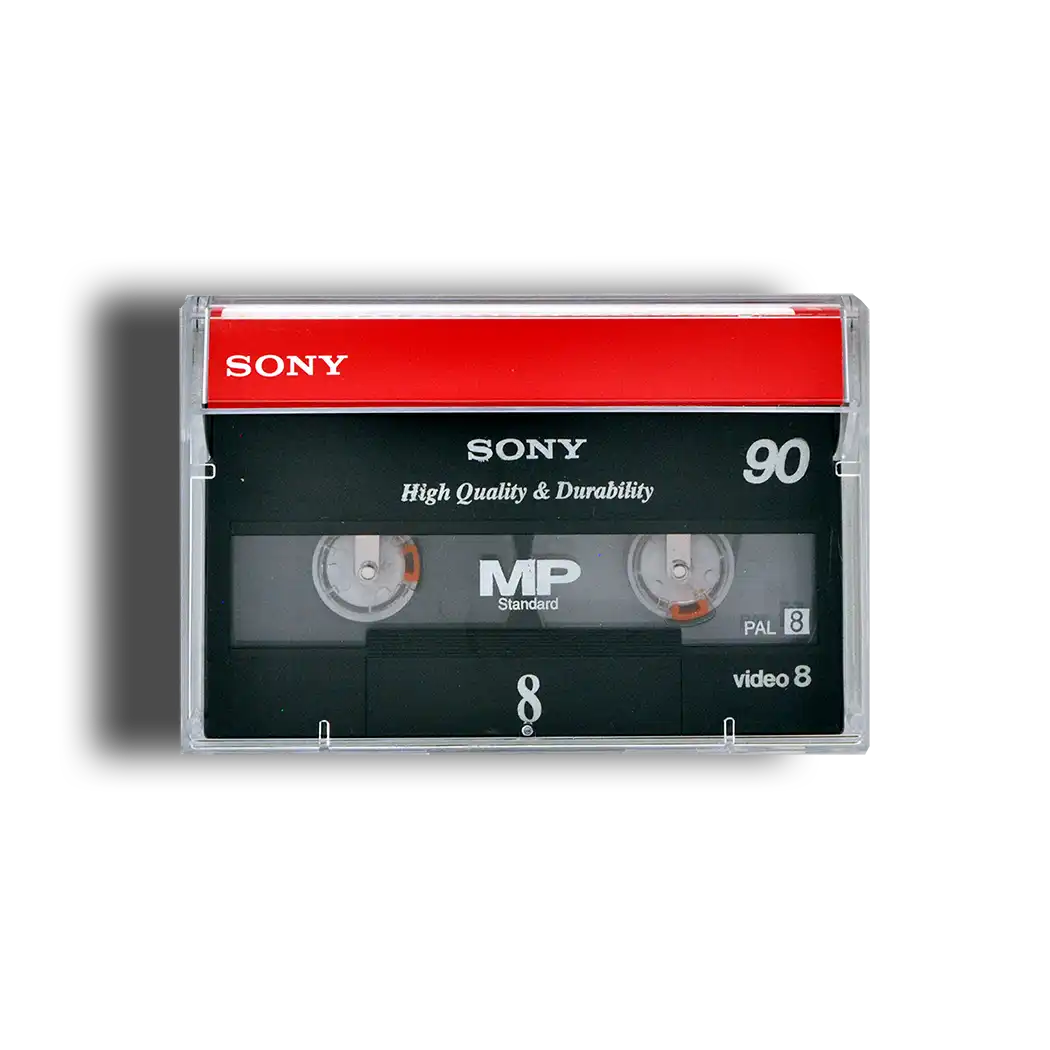
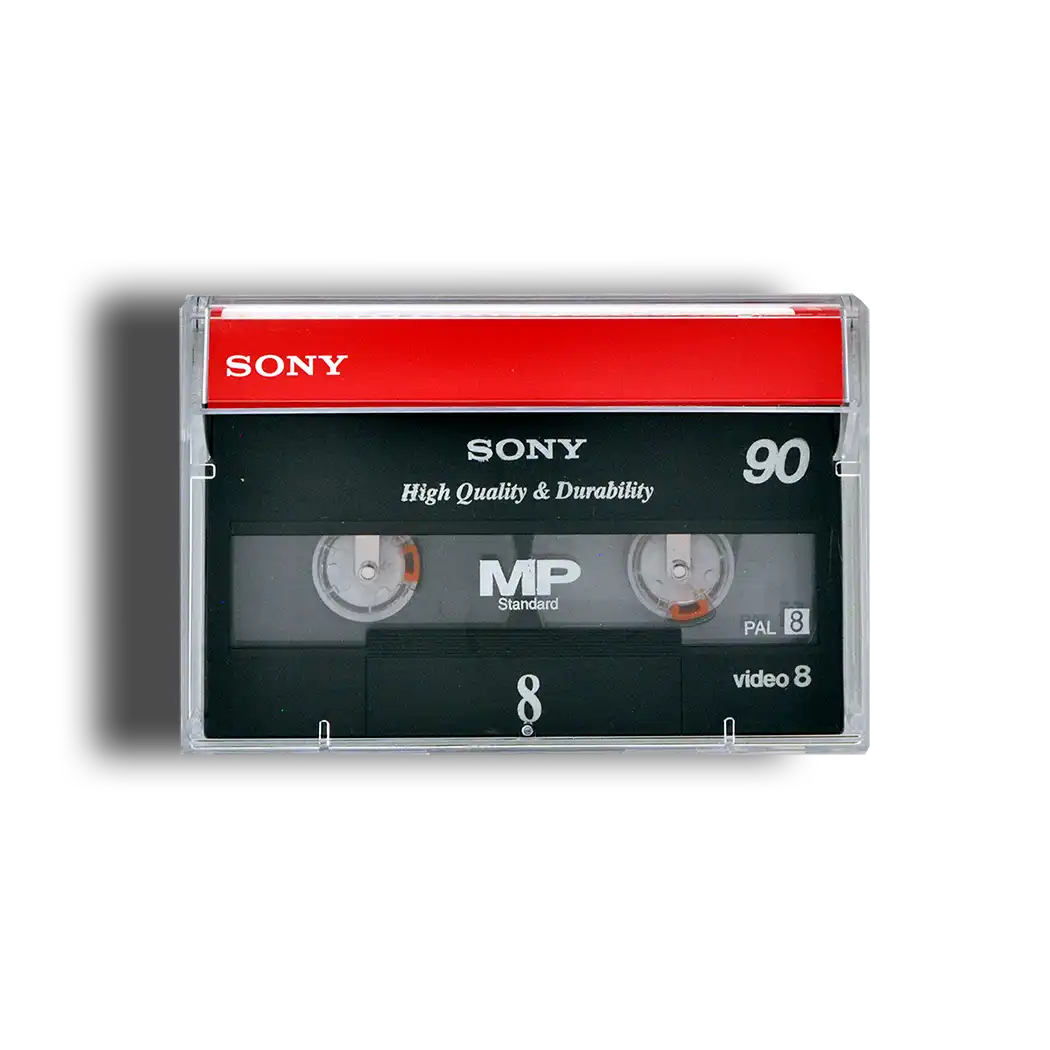
- The tapes can look remarkably similar, so labels and logos are important.
- Playback compatibility varies considerably between camcorders.
- A tape labelled Hi8 is not necessarily recorded in Hi8; some Digital8 equipment could record digitally onto suitable Hi8 tape.
- Identifying the recording format helps determine the correct playback and digitisation equipment.
The three formats therefore shouldn’t be treated as interchangeable simply because their cassettes look alike.
| Feature | Video8 | Hi8 | Digital8 |
|---|---|---|---|
| Recording | Analogue | Analogue | Digital |
| Generation | First | Second | Third |
| Picture detail | Lowest of the three | Improved over Video8 | Digital DV quality |
| Tape width | 8mm | 8mm | 8mm |
| Cassette size | Essentially the same | Essentially the same | Essentially the same |
| Typical identification | Video8/8 logo | Hi8 logo | Digital8/D8 logo |
| Playback | Video8 or compatible later equipment | Hi8 or compatible later equipment | Digital8 equipment |
| Digitisation | Analogue capture | Analogue capture | Digital transfer possible |
Why Are Video8, Hi8 and Digital8 So Easily Confused?
The main reason is physical appearance. Video8, Hi8 and Digital8 belong to the same 8mm videocassette family and use very similar cassette shells. Put three unlabelled tapes beside one another and many people would struggle to tell them apart.
The recording technology inside, however, can be quite different.
Video8 arrived first and provided a much smaller alternative to the larger home-video cassette formats of the period. Hi8 retained the convenient 8mm design but improved the analogue recording system to capture greater picture detail. Digital8 subsequently used 8mm tape for a digital DV recording system. Digital Legacy
This progression is important when you’re sorting family recordings. A collection accumulated over many years might contain more than one format, particularly if the family upgraded its camcorder.
Don’t assume that all tapes in the same storage box are identical. Check each cassette individually before deciding what equipment you need.
What Is Video8?
Video8 is the original member of the 8mm video family. It became strongly associated with compact home camcorders and provided families with a more portable way of recording holidays, birthdays, weddings and everyday life.
Unlike later Digital8, Video8 stores the video as an analogue recording.
One of its major practical advantages at the time was cassette size. Smaller tapes helped manufacturers produce more manageable camcorders than many of the bulkier machines associated with full-size videocassettes.
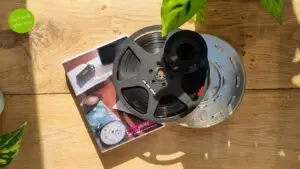
Video8 is sometimes casually referred to simply as 8mm video or 8mm tape. This can cause confusion with 8mm cine film, which is an entirely different photographic film format.
If you have a small cassette, it is videotape. If you have film wound around an open reel, you’re dealing with cine film rather than Video8.
That distinction matters because the equipment and processes required to digitise them are completely different.
What Is Hi8?
Hi8 was developed as an improved version of Video8. It remained an analogue format but increased the available picture detail by separating and recording aspects of the video signal more effectively.
In practical terms, Hi8 generally produces a sharper picture than standard Video8 when the original recording and tape remain in good condition.
The improvement was particularly valuable as consumer expectations increased and televisions became capable of displaying more detail.
Hi8 cassettes normally carry a recognisable Hi8 logo, making labelled tapes relatively straightforward to identify.
However, don’t judge the eventual digital result solely from the format. Tape condition, original camera quality, lighting, focus, recording mode and the condition of the playback machine can all affect what you see.
A well-recorded and well-preserved Video8 tape can sometimes be more enjoyable to watch than a poorly recorded or deteriorated Hi8 cassette.
What Is Digital8?
Digital8 represented a much bigger technical change.
Rather than simply refining analogue 8mm video, Digital8 records a digital DV signal onto 8mm tape. At the bitstream level, Digital8 uses the DV format, which also means appropriately equipped Digital8 camcorders could provide a digital connection such as Sony’s i.LINK/IEEE 1394, commonly known as FireWire. Wikipedia
This distinction can be valuable when preserving recordings.
Video8 and Hi8 have to be played back as analogue video and converted into digital data during capture. With Digital8, suitable equipment can reproduce the already-digital recording and transfer that data digitally.
This doesn’t mean an old Digital8 tape will automatically produce perfect footage. Magnetic tape can still suffer from physical deterioration, contamination, playback errors and dropouts.
The important point is that Digital8 is digital video recorded on tape, despite looking remarkably similar to its analogue predecessors.
How Can I Tell Whether I Have Video8, Hi8 or Digital8?
Start with the cassette itself rather than trying to play it in the first camcorder you can find.
Look carefully at:
- The format logo – search for Video8, Hi8, Digital8 or D8 markings.
- The cassette label – handwritten dates may indicate when the recording was made.
- The original camcorder model – if you still have it, its specifications can help establish what was recorded.
- The tape packaging – original boxes often contain useful format information.
- Any existing family notes – these can help establish which camera was being used at the time.
The label isn’t always conclusive. Digital8 recordings could be made on suitable Hi8 tape, so the cassette stock and the signal recorded onto it are not necessarily the same thing. Wikipedia
If you’re unsure, avoid repeatedly testing an irreplaceable recording in incompatible or poorly maintained equipment. Identification through suitable playback equipment is safer.
Can the Same Camcorder Play Video8, Hi8 and Digital8?
Sometimes – but not always.
This is one of the most important points to understand when dealing with the 8mm family.
A Hi8 machine can generally handle earlier Video8 recordings as well as Hi8, but it cannot decode a Digital8 recording simply because the cassette fits.
Some Digital8 camcorders were designed with backwards-compatible analogue playback and can therefore play Video8 and Hi8 as well as Digital8. Other Digital8 models do not provide this facility. Compatibility therefore needs to be checked against the specific machine rather than assumed. EachMoment
The safest rule is:
A cassette fitting physically into a camcorder does not guarantee that the camcorder can reproduce the recording on it.
This is particularly useful to remember when buying a second-hand camcorder purely to recover family recordings.
Does Hi8 Look Better Than Video8?
Under comparable conditions, Hi8 was designed to provide greater picture detail than standard Video8.
You’ll commonly see approximate horizontal-resolution figures of around 240 lines for Video8 and around 400 for Hi8. These figures are useful for understanding the improvement between the formats, but shouldn’t be confused with modern pixel-resolution measurements. National Video
They also don’t tell the whole story.
The quality you recover today depends on factors including:
- how well the original camcorder recorded;
- whether the camera was focused correctly;
- lighting conditions;
- recording speed;
- tape quality;
- storage conditions;
- deterioration or contamination;
- playback-machine condition;
- capture equipment and processing.
Digitisation cannot recreate genuine detail that was never captured by the original camera.
Professional transfer should therefore aim to recover the available information faithfully, rather than promising to transform standard-definition camcorder footage into genuinely modern high-definition material.
Is Digital8 Better Quality Than Hi8?
Digital8 has an important technical advantage: the picture is stored digitally rather than as an analogue video signal.
This helps avoid some of the additional degradation associated with making analogue generations, and Digital8 delivers DV-quality digital video. Wikipedia
However, “digital” doesn’t mean that every Digital8 recording will automatically look better than every Hi8 recording.
The original camera, lens, lighting, recording conditions and tape condition still matter. A poorly shot Digital8 recording remains a poorly shot recording.
The more useful distinction for preservation is how the information is stored and recovered.
With Video8 and Hi8, the analogue signal must be reproduced accurately and digitised. With Digital8, appropriate equipment can access the digital DV recording directly.
That difference affects the best transfer workflow.
Can I Play an 8mm Camcorder Tape in a VHS Player?
No. A Video8, Hi8 or Digital8 cassette cannot be inserted into a standard VHS machine.
This sometimes causes confusion because VHS-C tapes could be placed into special VHS cassette adaptors and then played in suitable VHS machines.
There is no equivalent simple VHS adaptor for Video8, Hi8 or Digital8.
The 8mm formats require compatible 8mm playback equipment, normally a suitable camcorder or dedicated deck.
Be particularly cautious about online products described vaguely as “8mm adaptors”. 8mm cine film, Video8 videotape and VHS-C are three different things, despite terminology that can sound confusingly similar.
What If I No Longer Have the Original Camcorder?
That’s extremely common.
You don’t necessarily need the original camera that made the recording, but you do need suitable functioning equipment capable of reproducing its particular format.
Buying an old camcorder is one option, but it introduces uncertainty. Second-hand machines can suffer from dirty heads, deteriorated components, mechanical problems and tape-loading faults. A machine advertised as working may also lack the specific backwards compatibility you need.
For a handful of unimportant tapes, DIY experimentation may be acceptable. For irreplaceable family recordings, there is considerably more reason to be cautious.
If your collection contains several types of 8mm tape, professional facilities also have the advantage of being able to test recordings using appropriate equipment rather than relying on one ageing camcorder.
Supaphoto’s Hi8 and 8mm camcorder tape digitisation service is intended for customers who want old recordings transferred without sourcing and maintaining obsolete playback equipment themselves. Pasted markdown
What’s the Best Way to Digitise Video8 and Hi8?
Video8 and Hi8 are analogue formats, so the quality of the playback and capture chain matters.
A sensible workflow involves:
- Inspecting the cassette before playback.
- Selecting a compatible, well-maintained machine.
- Checking the reproduced picture and sound.
- Capturing the analogue signal with suitable video hardware.
- Monitoring the recording for playback faults.
- Checking the resulting digital file after capture.
- Keeping a high-quality digital master or other suitable preservation copy.
Repeatedly playing a troublesome tape is not a good substitute for identifying the cause of the problem.
Problems such as unstable pictures, dropouts, damaged tape or contamination may need to be addressed before or during transfer.
If a tape contains irreplaceable footage, the objective should be to obtain the best practical reproduction while minimising unnecessary handling.
What’s the Best Way to Transfer Digital8?
Digital8 needs to be approached differently because its recording is already digital.
With compatible equipment, Digital8 can be transferred as DV data through an IEEE 1394/FireWire connection rather than first converting the recording through an analogue capture stage. Wikipedia
Modern computers rarely include FireWire ports, which is one reason apparently straightforward Digital8 DIY transfers can become surprisingly complicated. The required combination of compatible playback hardware, interfaces, cables, computer connections and software depends on the equipment available.
Converting the resulting material to a modern viewing format can then make it easier to watch on current televisions, computers and mobile devices.
For preservation, it can also make sense to retain a higher-quality master alongside convenient viewing copies rather than keeping only a heavily compressed version.
What Problems Can Affect Old 8mm Video Tapes?
Age alone doesn’t tell you whether a tape will play successfully. Storage conditions and previous handling are also important.
Potential problems include:
- mould or contamination;
- creased or physically damaged tape;
- playback dropouts;
- unstable pictures;
- audio faults;
- damage caused by a malfunctioning camcorder;
- labels becoming detached;
- cases or mechanisms becoming damaged.
If you see visible mould, unusual residue or obvious physical damage, don’t automatically put the cassette into a valuable camcorder to “see if it works”. Contamination can potentially affect the playback mechanism and other tapes subsequently inserted into it.
Store tapes upright in their cases in a stable, dry environment away from excessive heat, damp and direct sunlight while deciding what to do with them.
Should I Convert Video8, Hi8 and Digital8 to MP4?
MP4 is useful because it is convenient for everyday viewing, sharing and playback on modern devices.
But convenience and preservation aren’t necessarily the same requirement.
For important family or archive footage, you may want both:
- a high-quality master retained as your main preservation copy; and
- a smaller viewing copy for phones, televisions, sharing and everyday access.
Whichever file formats you choose, don’t rely on a single USB stick or hard drive as your only copy. Digital preservation still requires backups.
A sensible approach is to maintain copies on more than one storage device, ideally with another copy stored separately. Storage media can fail, be misplaced or become obsolete just as videotape equipment has.
Video8 vs Hi8 vs Digital8: Which Format Do I Have?
For most people sorting old tapes, you don’t need to become an expert in historic video engineering.
Remember these three points:
Video8 is the original analogue format. Hi8 is the improved analogue successor. Digital8 is the later digital format.
They use closely related physical media, which explains why they are so easily confused. But playback compatibility isn’t universal, and the correct transfer method depends on what was actually recorded.
Before buying an old camcorder, adaptor or capture device, identify your tapes and check compatibility carefully. If you’re dealing with a large collection, mixed formats, damaged tapes or irreplaceable family recordings, ultimately it makes sense to choose a professional company with years of experience dealing with such orders, such as Supaphoto Ltd.