Hard Drive Repair Service

Hard drives often store some of our most important files, from precious family photos and home videos to work documents and personal data. Unfortunately, hard drives can fail for many reasons, including physical damage, mechanical faults, corrupted file systems, bad sectors, power issues, or simply age and wear. When a hard drive stops working or files become inaccessible, attempting to repair it yourself can sometimes make the damage worse and reduce the chances of recovering your data.
At Supaphoto, our professional hard drive repair and recovery service is designed to give you the best possible chance of recovering your important files and memories. While no data recovery can ever be guaranteed, we use specialist tools and experience to safely assess your hard drive and recover as much data as possible.
See too other storage media conversion options such as our hard drive conversions page or Convert Storage Media pages.

About Our Service - The Supaphoto© Way
Thousands of Families Have Trusted Supaphoto
Our customers span from private individuals to institutions and TV production companies





How our Hard Drive Repair Service Works
The best thing you could ever do for yourselves in three simple steps.
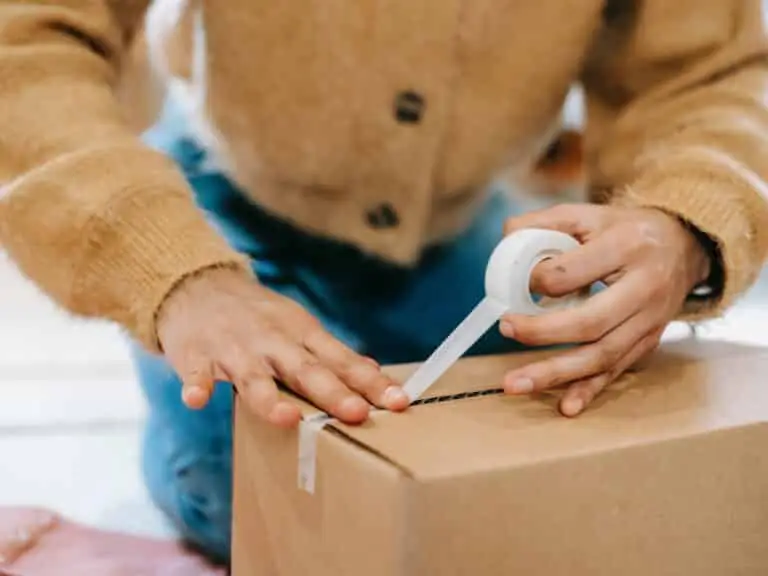
1. Package Up Your Memories
Simply pack your hard drives, then contact and send them to us. Use either our courier collection and return service or send it to us directly. Ask for your step by step welcome pack now.
2. Lovingly Converted
We love what we do. Our dedicated team will digitise your old storage media material. We’ve saved millions of archives over 20 years. And don’t worry, you’ll get regular updates along the way.

3. Share & Enjoy With Your Family
This is where the magic begins, we’ll return your repaired hard drives. Once the material is ready, you’ll be able to relax and enjoy them.
From start to finish, we track your hard drive carefully so you always know their status and when they’ll be ready for return.
What's Included?
You’ll receive everything needed to safeguard your memories.
Yes, where collection is applicable, we’ll organise for an easy to understand pre-paid address label to be sent to you. Could not be more simple. There’s also a section in there for you to add notes.
We know how precious your memories are. It can feel like a big decision. The Supaphoto Welcome Guide explains the process in step by step simple terms. It will also include useful contact details for peace of mind.
We loe what we do. Our dedcated team will digitise every item by hand. We’ve saved millions of memories over 20 years. And don’t worry, you’ll get regular updates along the way.
This is where the magic begins. We’ll return all of your original media. Once preserved, you can access your files via our easy cloud download service, on a memory stick or a lovely DVD. Finally, just relax and let those memories flood in!.
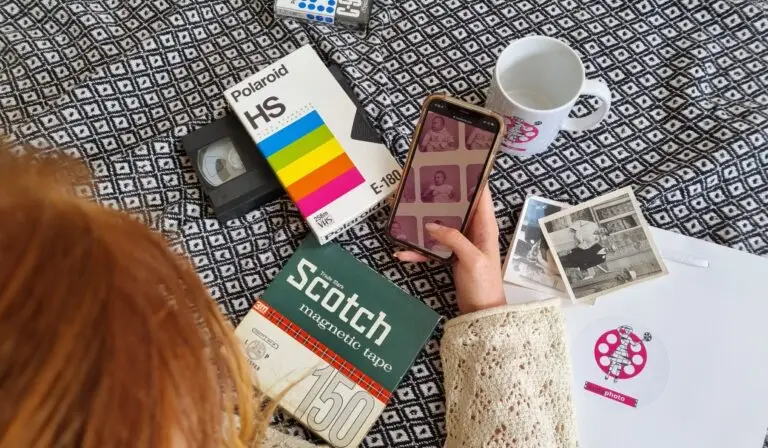
How to Choose the Best Digital Conversion for Your Repaired Hard Drive
Choose what you get back. Sit back and soak it in!
Digitise and Repair Hard Drives to Digital
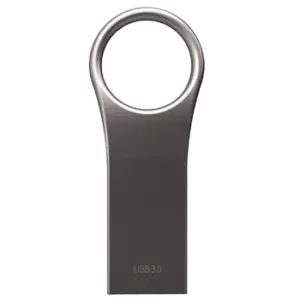
Convert Hard Drives to USB
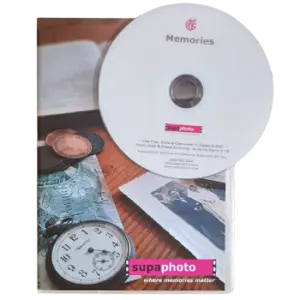
Repaired Hard Drive Conversion to Discs
Your hard drives turned into digital images or recordings, accessed and stored safely online. Download your digitised photos from our cloud – instantly from anywhere.
Converted hard drives copied on a new USB memory stick. Plug in to your computer (or a device with a USB port) to easily view, save and send your digitised items.
Your original items converted and copied to discs. You’ll be able to enjoy them on a disc player, computer, laptop with disc drive.
What you’ll Get: Digitised conversions as computer files.
What to Order: Just order a cloud download option to access your digital image files.
Ideal For: Sharing with family and friends.
What you’ll get: Your repaired items on either a standard USB or SSD drive.
What to Order: One USB stick is normally enough or upgrade to a safer SSD version.
Ideal For: Watching on a computer or most TVs (with USB slots).
What you‘ll get: Your repaired hard drives on disc(s).
What to order: Just choose the disc option to get your digitised archives.
Ideal for: Watching or listening to your digital images on a screen as a slideshow.
How to Choose the Best Digital Conversion for Your Repaired Hard Drive
Choose what you get back. Sit back and soak it in!
Digitise and Repair Hard Drives to Digital
Your hard drives turned into digital images or recordings, accessed and stored safely online. Download your digitised photos from our cloud – instantly from anywhere.
What you’ll Get: Digitised conversions as computer files.
What to Order: Just order a cloud download option to access your digital image files.
Ideal For: Sharing with family and friends.
Convert Hard Drives to USB
Converted hard drives copied on a new USB memory stick. Plug in to your computer (or a device with a USB port) to easily view, save and send your digitised items.
What you’ll get: Your repaired items on either a standard USB or SSD drive.
What to Order: One USB stick is normally enough or upgrade to a safer SSD version.
Ideal For: Watching on a computer or most TVs (with USB slots).
Repaired Hard Drive Conversion to Discs
Your original items converted and copied to discs. You’ll be able to enjoy them on a disc player, computer, laptop with disc drive.
What you‘ll get: Your repaired hard drives on disc(s).
What to order: Just choose the disc option to get your digitised archives.
Ideal for: Watching or listening to your digital images on a screen as a slideshow.
UK’s No1 Hard Drive Repair & Conversion Service
The service explanation video to the left gives you a clear introduction to our hard drive repair and data transfer service, including sample transfers so you can see the type of results that may be achievable. If an old or problematic hard drive contains photographs, videos, documents or other important files, our aim is to recover and transfer accessible data into a modern, convenient format.
Our specialists have extensive experience transferring data from a range of storage media, including hard drives, DVDs, CDs and USB devices. We use professional readers and specialist error-correction technology to retrieve and copy files as accurately as the condition of the original media allows. For related storage requirements, we can also transfer files from external hard drives to make older data easier to access and preserve.
Once transferred, your recovered data can be supplied by digital download or USB stick, allowing you to choose the option that works best for your devices and how you intend to store your files.
Data security is particularly important when working with personal or sensitive files. We handle your media and its contents confidentially and take appropriate measures to protect data from unauthorised access throughout the transfer process.
Using a professional service can also save you from buying extra hardware. Many modern laptops and computers no longer include optical drives or support older storage devices, while ageing media can require specialist equipment or software to access successfully.
If your drive is showing signs of trouble, our guide to what to do when a hard drive fails provides useful guidance on the next steps and how to reduce the risk of making the problem worse.
See also our Prices and FAQs further below.
What you can Expect From Us & Advantages
When you send a hard drive containing important photographs, documents, videos or other personal files to Supaphoto, you want to know it will be handled carefully. That is why we combine experienced technicians with good old-fashioned customer service: you can speak to a real person if you have questions about your order or the recovery process.
With more than 20 years’ experience, our team handles original media carefully and carries out multi-point quality assurance throughout the work. Your hard drive is processed here in the UK, and we provide order updates and tracking to help you follow its progress. Once the work is complete, your original media is returned to you.
We also keep our charging straightforward. There is no charge for blank or untransferrable items, and you are not tied into hidden annual cloud-storage subscriptions. Optional cloud hosting is available if you would like convenient online access and storage, while an advanced service option is available where a more specialist approach may help achieve a better outcome.
Our experience extends beyond domestic orders. Supaphoto supports TV production companies and programmes, including BBC’s The Repair Shop, as well as museums and institutions requiring careful treatment of original material. More than 600 genuine five-star customer-service reviews also provide independent reassurance about the service customers receive.
Where appropriate, we aim to provide a fast turnaround without sacrificing careful handling or checking. Customers with other ageing devices can also use our service for recovering and transferring files from external drives.
If you are unsure whether a problematic drive should still be connected or used, our guidance on recovering data from older storage media explains some of the considerations. You can also see practical advice on safely transferring an external hard drive.
We are really proud to be an ongoing technical partner to the TV Production Company behind for the BBC’s Repair Shop and have worked on multiple programmes.
See more examples of references below.
Digitised in the UK
Your VHS Tapes are hand digitised right here in the UK for your peace of mind.
Advanced Service
Studio grade equipment and AI software to enhance and even recover mould affected tapes.
Free Blanks
Free tape inspection & no charge for blanks or tapes that begin with TV when requested.
Originals Returned
For peace of mind, we’ll return your VHS tapes.
Security & Updates
We take security very seriously at Supaphoto with updates along the way and tracking.

Professional Studio Grade Technology
We use professional-grade VHS decks and high end capture hardware for faithful, accurate transfers.
After we've converted your Storage Media - We can further improve Your Films..
Old photographs and video recordings often capture life’s most treasured memories, but time can take its toll. At Supaphoto, our professional video and photo restoration services are designed to revive damaged, faded and ageing media while preserving the authenticity of the original. Whether you have treasured family photographs, vintage slides, negatives, cine film or old videotapes, our experienced restoration specialists use advanced digital techniques to achieve outstanding results.
Our restoration process can repair scratches, reduce dust and marks, improve faded colours, enhance contrast, correct exposure and sharpen fine detail. For video, we can reduce noise, stabilise shaky footage, minimise flicker, improve colour balance and recover as much detail as possible from ageing recordings. Every restoration is carefully assessed and carried out by skilled technicians who understand the importance of preserving precious memories rather than over-processing them.
Many customers choose Supaphoto because of our decades of experience, attention to detail and commitment to quality. We treat every photograph and recording as unique, using professional equipment and proven restoration methods to deliver natural-looking results that respect the character of the original.
Whether you are restoring a single treasured photograph or an entire family archive of videos and images, our restoration services help ensure your memories can be enjoyed by future generations in the best possible quality.
For more information, listen to our video transfer services video
Before
Pre Treatment
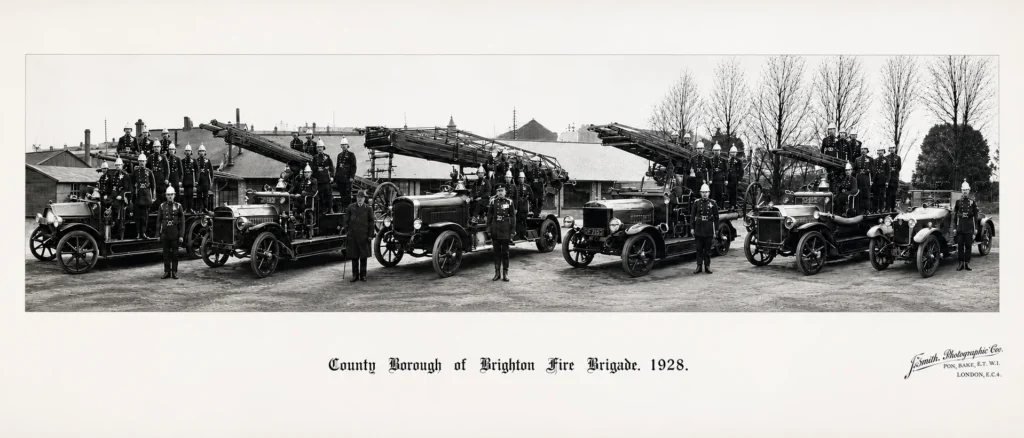
After
Post Treatment
Don’t Just Take our Word For it...
“Just had my photo albums scanned by Supaphoto, cannot praise them enough”
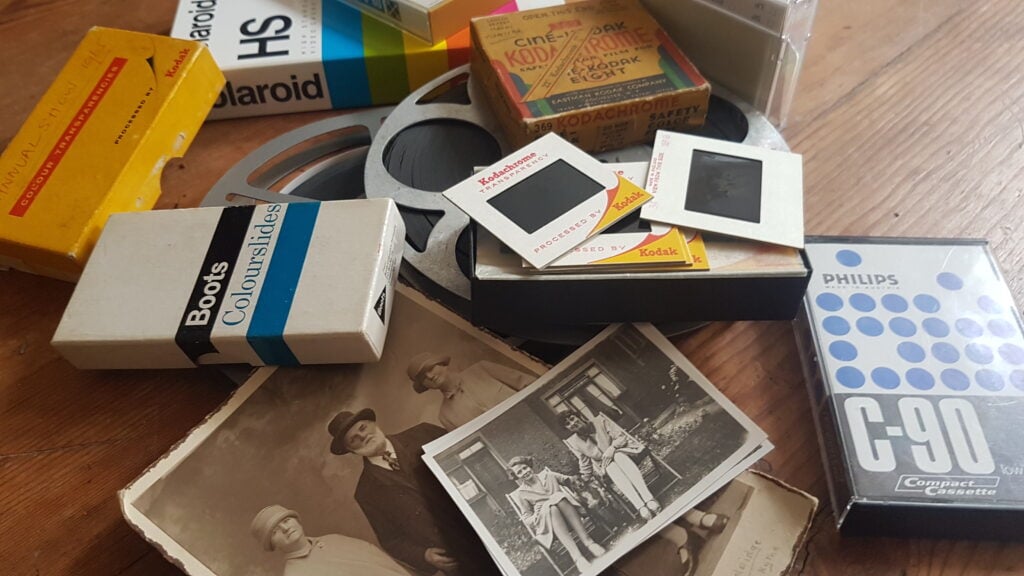
Photo for illustration purposes only.
Sir Richard Attenborough – Just One of Our Proudest Moments
We were so proud to be chosen by the University of Sussex to preserve some of film director Sir Richard Attenborough’s photographs.
Over the years, we’ve also scanned thousands of photo from prestigious photo albums going back to the 1900’s for British politicians to thousands of everyday family photo collections for families throughout the UK.
We were chosen to undertake cine film conversion work for the TV Production Company behind the BBC’s Repair Shop!
Other projects include digitalising Sir Richard Attenborough’s personal collection of images, converting early footage of Virgin Airways promotional films and digitalisation work relating to Windsor Castle, The Mary Rose and the late Queen Elizabeth II.
Our Storage Transfer Prices
At Supaphoto we take pleasure in doing things in the right way and growing our business slowly through referrals.
Media Storage Conversion Prices
Please Enquire
What Do I Want Back? – Choose from one of the following options:
i) Mp3 Digital Files as a Free Download from Supaphoto Cloud for easy listening & sharing with family
ii) Mp3 Digital Files on a Master USB Stick
iii) Conversion to a new CD in a nice presentation case
Got Audio reels? see our reel to reel tape page. For a type of audio tape not listed here, see them all here. Or just contact us and we’ll see how we can help.
Is it easy to share with my family?
it’s so easy. Just forward the link we’ll send you or share your USB memory stick.
Optional Extras:
– Back-up Version on Master USB Memory Stick: £19.99
– Back-up Version of CD in Presentation Case: £19.99
– Extra copy of CD in Presentation Case: £9.99
Free Doorstep Collection & Safe Return & Signed-For Delivery
We’re easy to deal with at Supaphoto. Contact Us Now to receive your free welcome pack. We’ll liaise with you to collect your package free of charge. We safely return items with signed-for delivery for extra peace of mind too.
No Upfront Payment? – When do I pay?
We never charge upfront unlike other companies. Why? Because there’s always a chance that you have blank tapes.
Want to Order? – How Can I contact You?
Simple! Just Call us on freephone 0800 690 6160 or drop us a line.
All Prices are Inclusive of VAT


FAQs
We’ve made life easy for you by compiling the the most commonly asked questions that we’ve been asked over the years in one place!
How can I listen to my recordings?
Could not be easier! Either plug in a simple USB and listen on PC, laptop or ipad. Listen on your mobile phone or play a CD on a CD player.
Which media output is best?
Digital files are easy to play and share on PCs, laptops, ipads and phones. Have fun too sound editing as well. A back-up CD also makes sense.
Do you offer an advanced service?
Yes we do. It delivers a superior, cleaner sound. It takes a little longer but doesn’t cost much more.
Our Advanced AI Sound Restoration Service
This service delivers superior noise reduction and background music removal. The unique algorithm often produces cleaner, more faithful audio recordings.
Would I be charged for blank tapes?
Don’t worry. We NEVER charge for blank tapes!
How long does it take?
Typically 5-10 working days or less.
Do you send the originals back?
Yes indeed – It’s important that you always keep your originals somewhere safe.
Do you collect / Can we visit your studio?
Yes we collect throughout the whole of the UK! Alternatively, you may visit us too so that we can go through the variables together. Just call or email us in advance to make an appointment at a suitable time please.
My audio tape sounds very poor in places. Can it still be transferred?
You’ll be amazed at the results we deliver. Our audio restorer will review first and advise you..
Can I listen to them and save them on a Free Online Cloud Gallery?
Yes indeed and you can share them with your family thereafter.
Where can I read reviews about your service?
We always treat tapes as if they were our own. Read our reviews for yourself
Why should I do it?
All sound recordings slowly deteriorate. The sooner you do it – the better.
What’s your security like?
Rest assured that we take security of handling very seriously and have an insurance policy to match.
I have a lot of audio tapes – Can I get a bulk discount?
Just contact us to see how we can help. We also have a buy now, pay later option.
I still have questions!
Call us for some friendly help on freephone 0800 690 6160 or drop us a line.
What delivery service would you suggest using when I want to post my own material to you?
We would always advise sending by Royal Mail Special Delivery which is by far the safest delivery option in the whole of the UK!
Bulk Discount?
Got a large order? We’ll always do our best to help you. Just give us a call and we’ll see what we can do.!
More Help & Guidance
A failed or inaccessible hard drive can be worrying, particularly when it contains irreplaceable photographs, family videos, documents or other important files. The key is to avoid actions that could make recovery more difficult and to choose a service appropriate to the symptoms of the drive. The guidance below explains what to expect, how to place an order, the available file-delivery choices and some of the common mistakes to avoid.
Benefits of Choosing a Professional Hard Drive Recovery Service
Hard drives can develop problems for many reasons, including file-system corruption, bad sectors, electrical faults, mechanical problems and general age or wear. What appears to be a simple problem may therefore need careful diagnosis before recovery is attempted.
Using an experienced service means the drive can be assessed before deciding on the most appropriate recovery approach. This is particularly important if the information stored on it is valuable or cannot easily be replaced.
Supaphoto combines data recovery with practical options for receiving recovered files afterwards. If your drive still works but you simply need its contents moved to newer storage, our service for transferring data from older external drives may be more appropriate.
For files that are primarily photographs, our specialist recovery service for lost digital photographs is another useful option.
How to Place an Order
Start by identifying the hard drive and, if possible, make a note of what has happened. For example, tell us whether the computer has stopped recognising it, folders have disappeared, files were accidentally deleted or the drive has suffered physical damage.
You do not need to diagnose the technical fault yourself. In fact, avoiding repeated experiments can be preferable where important data is involved.
Package the drive carefully so it cannot move around inside the parcel and include the information required to identify your order. Supaphoto can then assess the media and determine the appropriate next step.
If you are uncertain whether recovery is the right service, our guide covering data recovery from older storage media explains the wider options.
For specific details before ordering, see our additional questions about the service.
A Straightforward Process From Drive to Recovered Files
You do not need specialist computer knowledge to use a hard drive recovery service. The important part is telling us what you know about the problem and, where possible, what files you particularly want recovered.
Once your hard drive arrives, it can be assessed and the available data identified. The objective is normally to retrieve accessible files rather than simply make an ageing drive usable again as everyday storage.
After recovery, files can be supplied in a modern form so you can copy, organise and back them up more easily. Your original hard drive can also be returned.
If the problem concerns a removable flash device rather than a hard disk, our USB drive recovery and repair service covers that type of media.
You can also review our frequently asked questions before sending your order.
Digital Download or USB – Which Is Best?
A digital download is convenient when the recovered files are manageable in size and you want quick access without waiting for another storage device to arrive. Files can be downloaded to your computer and subsequently copied to your own backup devices.
A USB device provides a physical copy that can be plugged into compatible computers and other equipment. It can be particularly useful if you prefer receiving your recovered files on separate media rather than downloading them yourself.
Neither should ideally become the only copy of valuable data. Once your files have been recovered, consider keeping them in at least two separate locations. Our wider guide to preserving old media and the information stored on it explains why creating additional copies is worthwhile.
For larger quantities of data, ask us which delivery method is most practical for your particular recovery.
Hard Drive Recovery Pricing Guidance
The cost of hard drive recovery can vary because not every failed drive has the same problem. Recovering accidentally deleted files from an otherwise functioning drive is very different from dealing with a device that has suffered significant physical or mechanical damage.
The amount of work required can therefore depend on factors such as the nature of the fault, the condition of the storage media and the complexity of retrieving its contents.
When comparing services, look beyond the headline price. Check what is included, how recovered files will be returned, whether unsuccessful media is charged for and whether additional storage or delivery costs may apply.
If the drive contains particularly important information, tell us what matters most. Knowing whether you need a specific photograph folder, family archive or a complete drive recovery can help establish the priorities for the job.
Understanding Hard Drive Problems
| Situation | What it may mean | Sensible next step |
|---|---|---|
| Drive works normally | Data may simply need transferring | Copy to newer storage and create a backup |
| Files or folders have disappeared | Deletion or file-system problems may be involved | Avoid writing new data to the drive |
| Drive is recognised but files will not open | Corruption or damaged sectors may be involved | Consider professional assessment |
| Computer repeatedly asks to format the drive | The existing file system may be inaccessible | Do not format it if you need the existing files |
| Drive disconnects or behaves unpredictably | Hardware, connection or media problems are possible | Minimise further use |
| Drive has suffered physical damage | Internal components may be affected | Stop experimenting and seek specialist advice |
The symptoms alone cannot reliably identify every fault, which is why assessment is important.
Video Learning Zone – Hard Drive Recovery Questions
What is the best way to recover files from a failed hard drive?
First determine whether the drive is functioning normally, logically corrupted or showing signs of physical failure. If the data is important and the drive is behaving abnormally, repeated DIY recovery attempts can increase the risk of further problems. Our guide to what to do when a hard drive fails covers the first steps in greater detail.
Can files be recovered from an old external hard drive?
Potentially, yes. The outcome depends on why the files are inaccessible and the physical condition of the drive. Age alone does not necessarily mean the data has disappeared.
Should I repair the drive or recover the data?
If the contents matter, recovering and safeguarding the files should normally be the priority. An ageing or previously faulty drive should not automatically be regarded as reliable long-term storage simply because data has been retrieved from it.
Common Mistakes to Avoid
Continuing to use a failing drive. Repeated reading and writing may make some problems worse.
Formatting when prompted by your computer. Formatting may alter information needed for recovery.
Saving recovered files back onto the same drive. Use separate storage so you do not overwrite data that may still be recoverable.
Repeatedly switching on a drive showing unusual behaviour. If the drive has a physical fault, further operation may not help.
Having only one copy afterwards. Recovery solves the immediate problem; a sensible backup routine helps prevent the same situation becoming an emergency again.
If the information on your drive matters, the safest approach is to protect the original media, minimise unnecessary use and obtain advice before taking actions that cannot easily be reversed.

More Questions About this Format
A: Yes — Supaphoto can safely transfer and convert data from all types of storage media, including USB sticks, SD cards, MicroSDs, and external hard drives. Whether you need to recover photos, videos, or documents, our technicians use specialist equipment to extract your files and save them in modern digital formats.
A: Storage media conversion involves transferring files from older or unreadable devices — such as USB sticks, SD cards, or memory cards — to new, accessible digital formats. Supaphoto converts your files into standard formats that can be viewed, edited, or backed up easily on today’s computers and cloud platforms.
A: In most cases, yes. If your USB stick or SD card no longer opens or shows missing files, Supaphoto’s data recovery process can often restore them. We use advanced recovery tools to retrieve photos, videos, and documents while keeping your original media intact and secure.
A: Supaphoto can convert or recover data from a wide range of media including USB flash drives, SD cards, MicroSD cards, CompactFlash cards, external hard drives, and older digital camera memory cards. No matter the brand or capacity, we’ll help you access your data again.
A: Absolutely. We can copy or reorganise your files, consolidate multiple memory cards, or transfer all your data onto a new USB stick, hard drive, or cloud storage account — making your media easier to manage and share.
A: Yes, we handle both logical and physical damage. If your device has a broken connector or won’t mount properly, our specialists can often repair the connection long enough to recover your files. Every recovery is performed under controlled, anti-static conditions to protect your data.
A: Absolutely. Supaphoto treats all data with complete confidentiality. Your files are never shared, copied, or accessed by anyone outside our secure recovery system. Once your transfer or recovery is complete, all temporary working copies are securely deleted.
A: Yes — Supaphoto can extract files from legacy media such as early USB 1.0 drives, mini or micro SD cards, and obsolete digital camera cards. We then convert these files into up-to-date, universally compatible formats for long-term preservation.
A: Simply place your device in a protective sleeve or small padded envelope and post it to Supaphoto along with your order form. Once received, our technicians will inspect, convert, and securely return your original media along with your recovered files on your chosen output format.
A: You can receive your recovered or converted files on a new USB stick, external hard drive, SD card, or via secure digital download. Many customers choose both a physical and cloud copy to ensure their data is backed up safely.