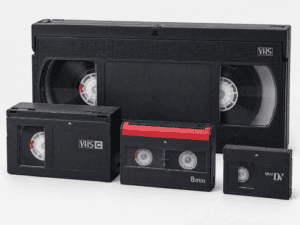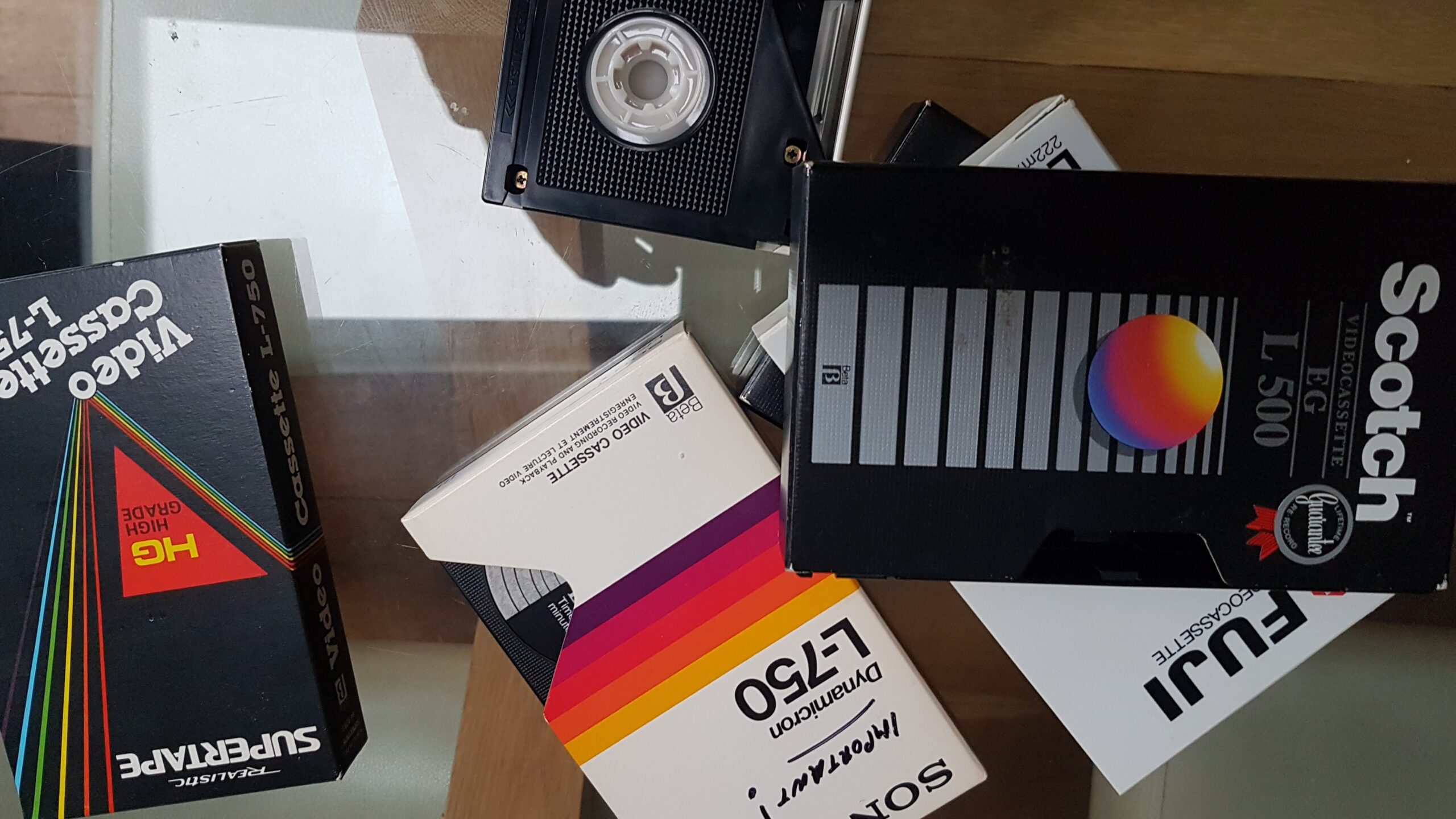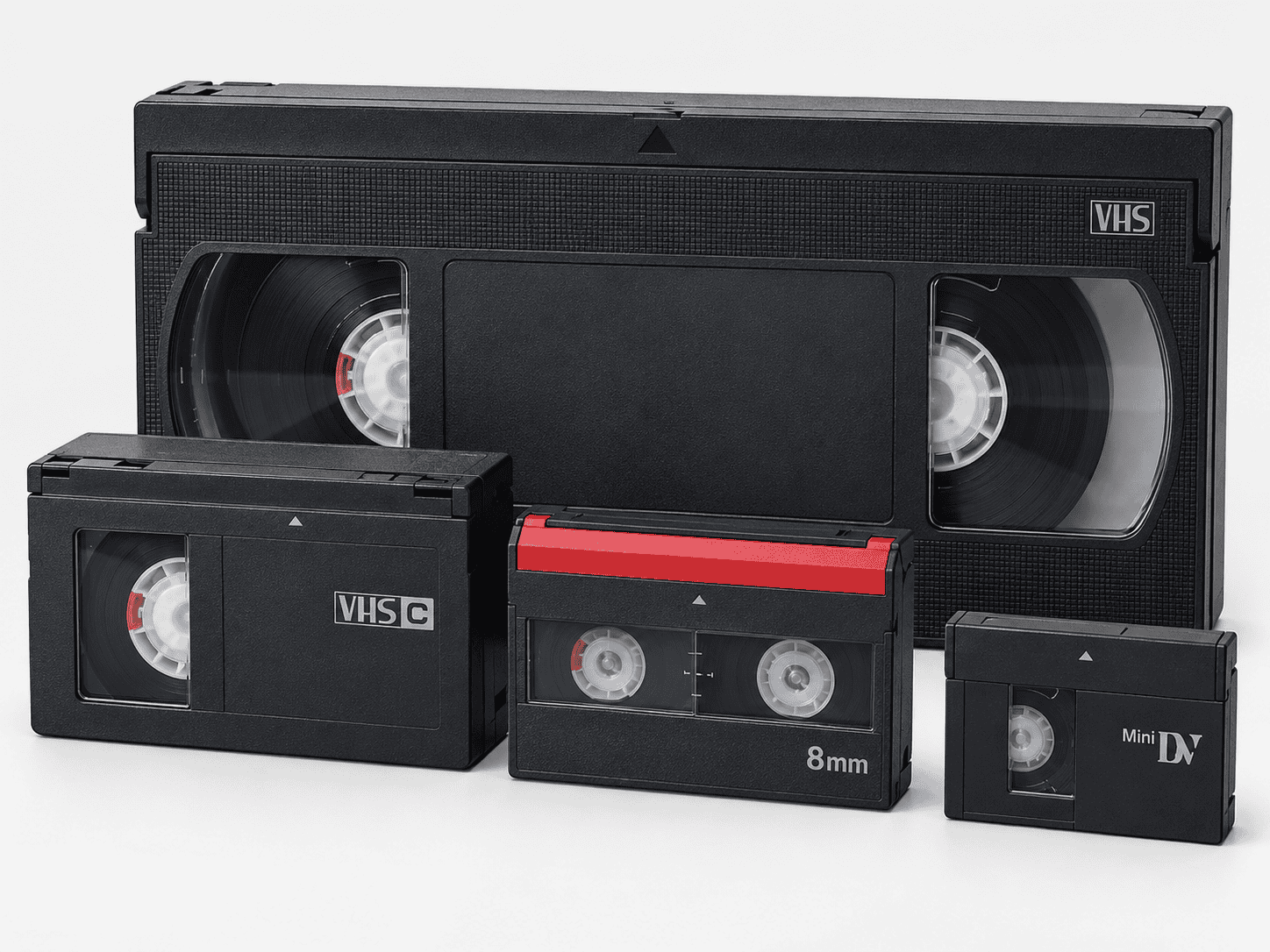

Old cassette video tapes can look surprisingly similar, but VHS, VHS-C, Video8, Hi8, Digital8 and MiniDV are not interchangeable. The easiest way to identify them is by cassette size, labelling, tape width and the type of camcorder or video recorder that originally used them.
| Format | Approximate cassette size | Recording type | Typical use |
|---|---|---|---|
| VHS | Large | Analogue | Home video recorders |
| VHS-C | Small | Analogue | Compact camcorders |
| Video8 | Small | Analogue | 8mm camcorders |
| Hi8 | Small | Analogue | Higher-quality 8mm camcorders |
| Digital8 | Small | Digital | Later 8mm camcorders |
| MiniDV | Very small | Digital | Compact digital camcorders |
Knowing the format matters because the correct playback equipment must match the recording system, not simply the shape of the cassette.
VHS: The Full-Size Home Video Cassette
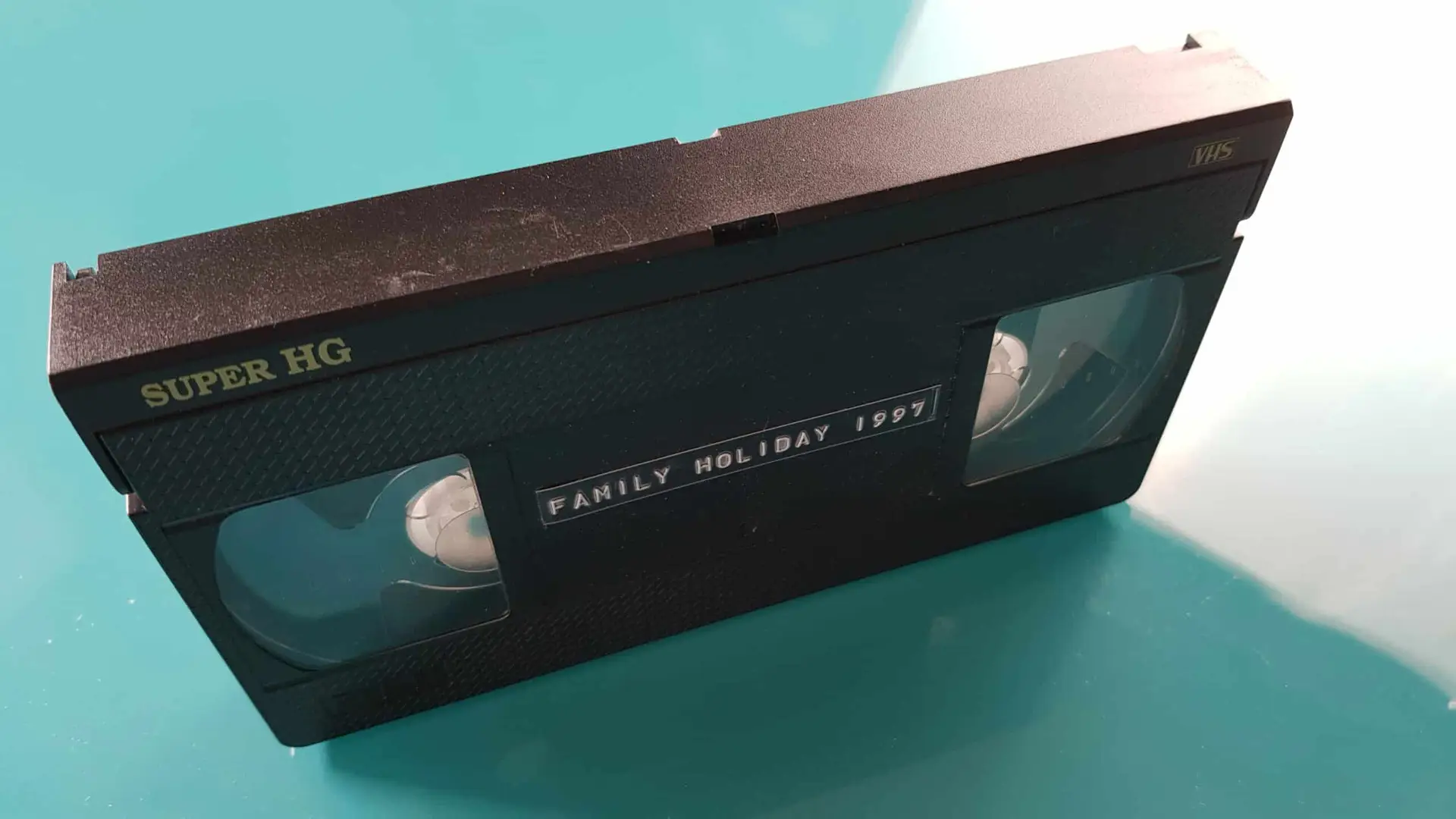
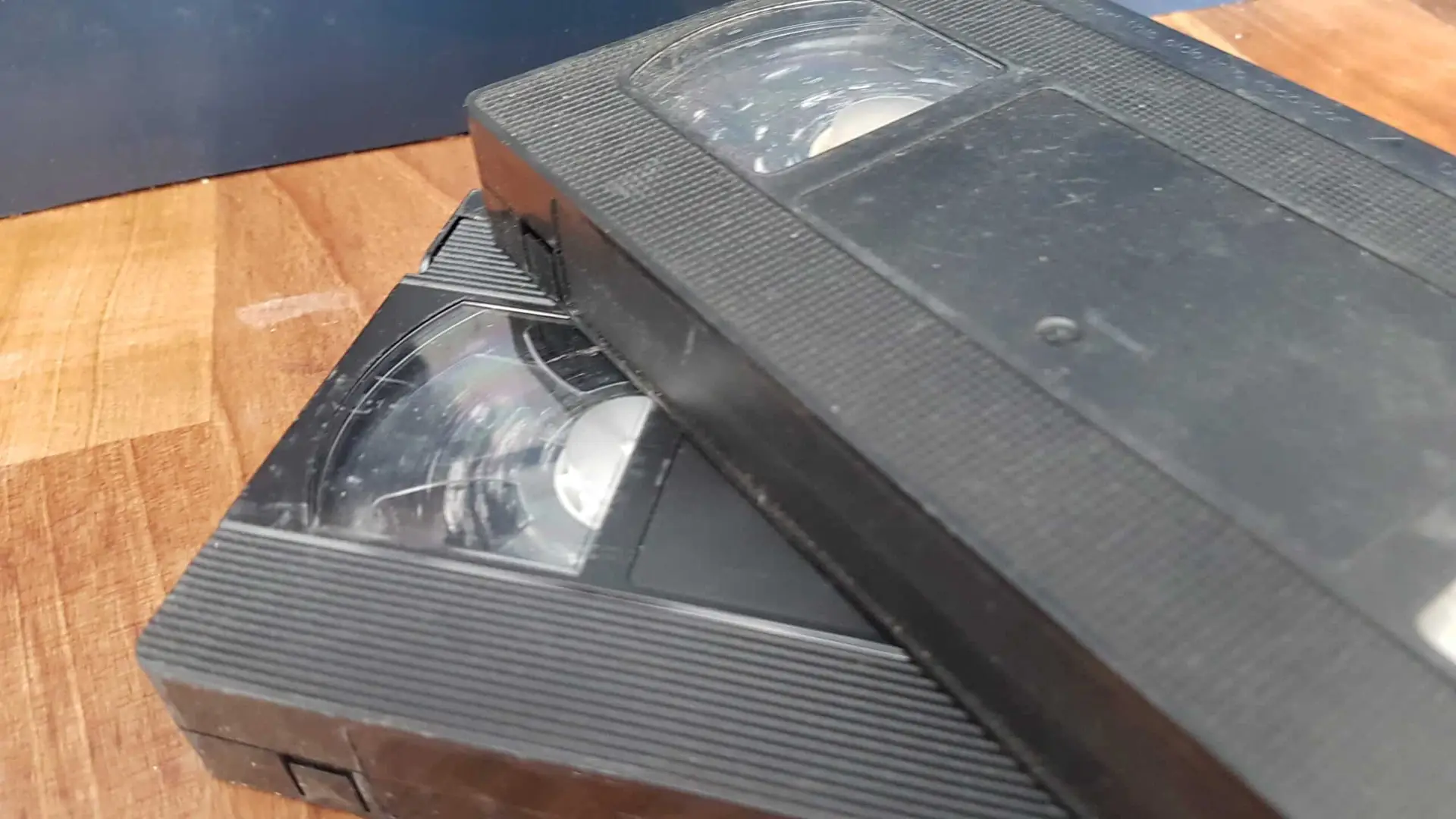
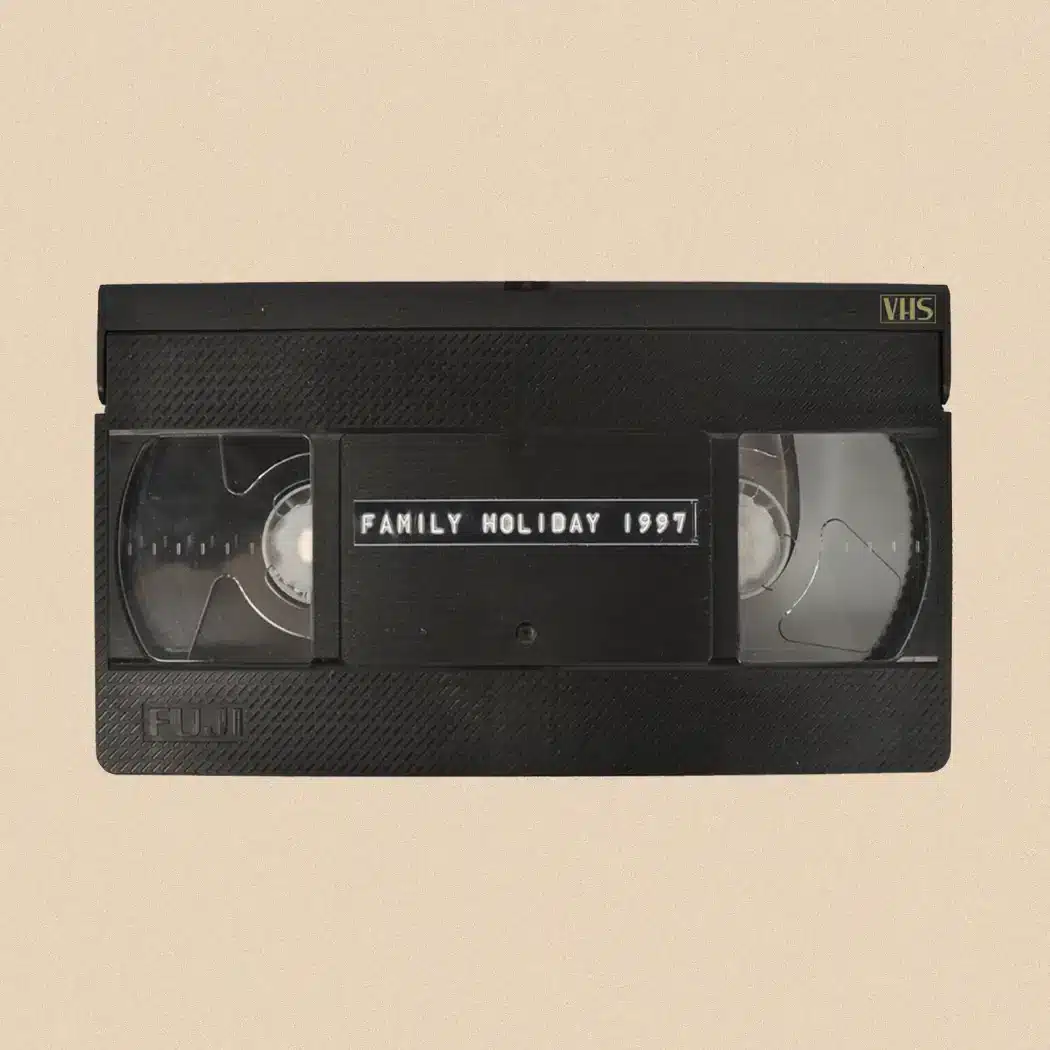
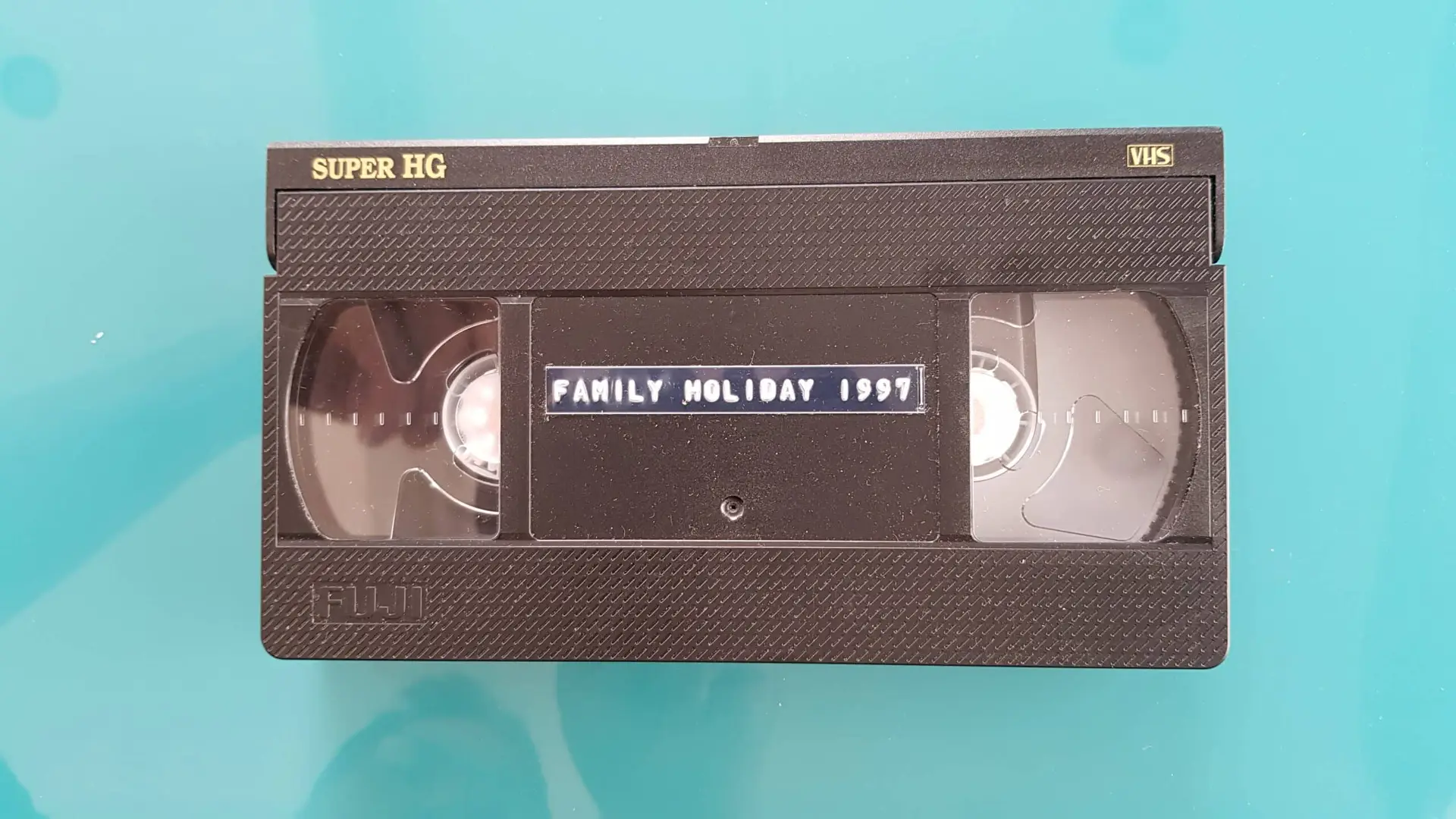
VHS is usually the easiest format to recognise.
A standard VHS cassette measures roughly 187 × 103 × 25mm, making it much larger than the camcorder formats that followed.
Typical features include:
- a large rectangular black plastic shell
- two visible tape reels
- a hinged protective flap across the front
- a large paper label area
- “VHS” or “VHS HQ” markings
VHS became the dominant domestic video format in many countries and was widely used for television recording, home movies copied from camcorders, rental films and family recordings.
The tape itself is ½ inch wide.
A normal VHS cassette requires a full-size VHS video recorder for playback.
If you find a large black cassette in a family archive, VHS is the first format to consider.
VHS-C: A Smaller Cassette Using VHS Technology
VHS-C stands for VHS-Compact.
Manufacturers created it for smaller camcorders while retaining compatibility with the VHS recording system.
A VHS-C cassette is much smaller than VHS, typically around 92 × 59 × 23mm.
Sony’s historical account of the early camcorder market describes VHS-C as a cassette about one quarter the size of standard VHS and notes its competition with the emerging 8mm format during the 1980s.
You can often identify VHS-C by:
- the VHS-C logo
- its chunky rectangular shape
- a visible tape reel layout
- labels mentioning 30, 45 or 60 minutes
- JVC, Panasonic or other camcorder branding
Can VHS-C Play in a Normal VHS Machine?
Yes, but not directly.
A VHS-C cassette can sit inside a specially designed VHS-C adaptor, which has the external dimensions of a normal VHS cassette.
The adaptor lets a compatible VHS recorder load and play the smaller tape.
However, the adaptor is mechanical equipment rather than a simple plastic sleeve. Old or faulty adaptors can damage tapes, so irreplaceable recordings deserve care.
Video8: The Beginning of 8mm Camcorder Tape
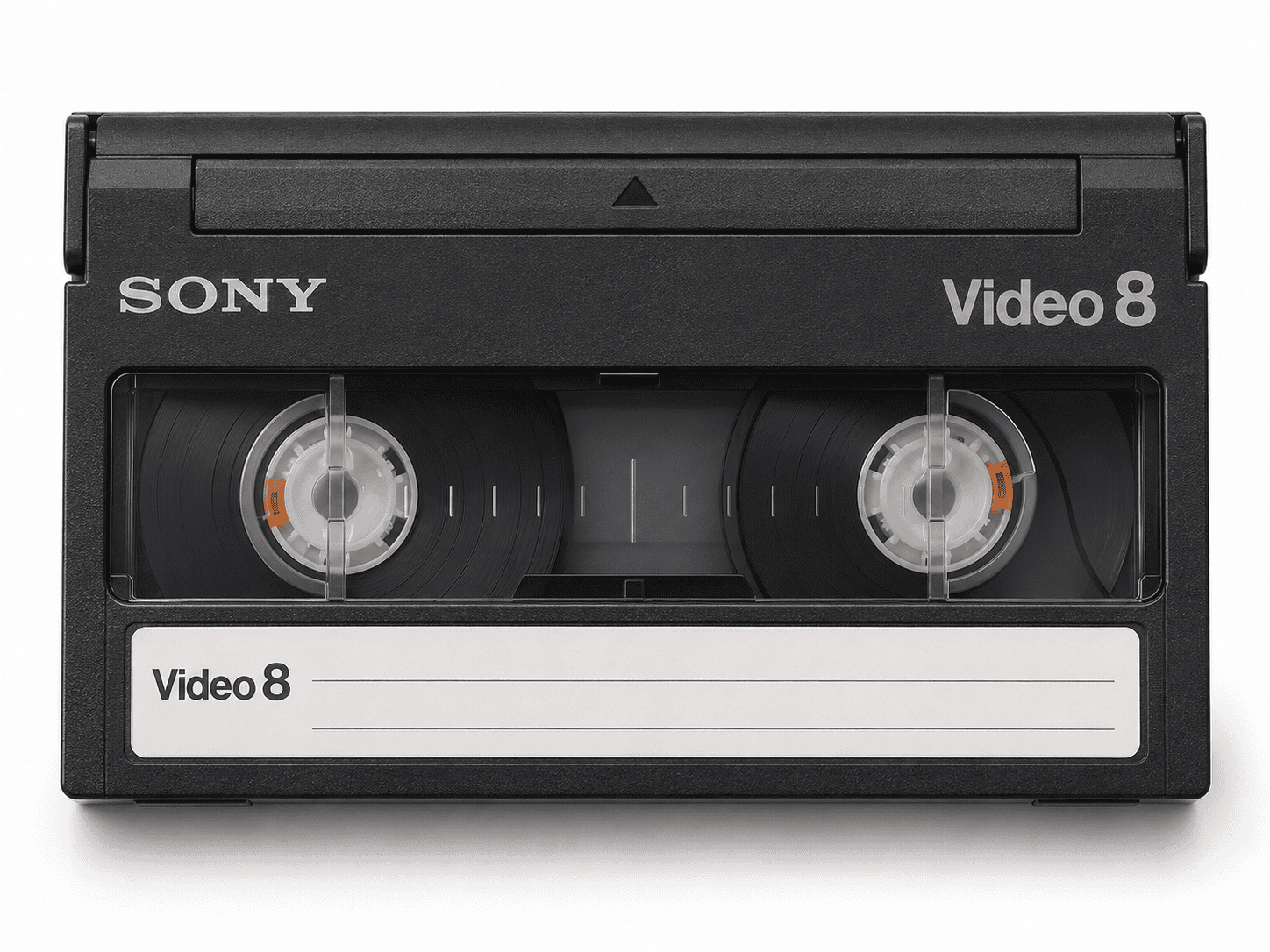
Video8 arrived during the 1980s as a compact alternative to larger consumer video formats.
Sony records that the 8mm video standard was established in 1984 and that its CCD-V8 camcorder followed in 1985.
A Video8 cassette is much smaller than VHS and measures approximately:
95 × 62.5 × 15mm.
The tape is 8mm wide, which gives the format its name.
Typical clues include:
- “Video8” or “8mm” printed on the cassette
- a compact rectangular shell
- two small reel windows
- common running times such as 60, 90 or 120 minutes
- Sony, Canon, Hitachi and other camcorder branding
Video8 records an analogue signal.
This distinction becomes important because later Hi8 and Digital8 formats use almost identical cassette dimensions.
Hi8: Similar Cassette, Better Analogue Recording
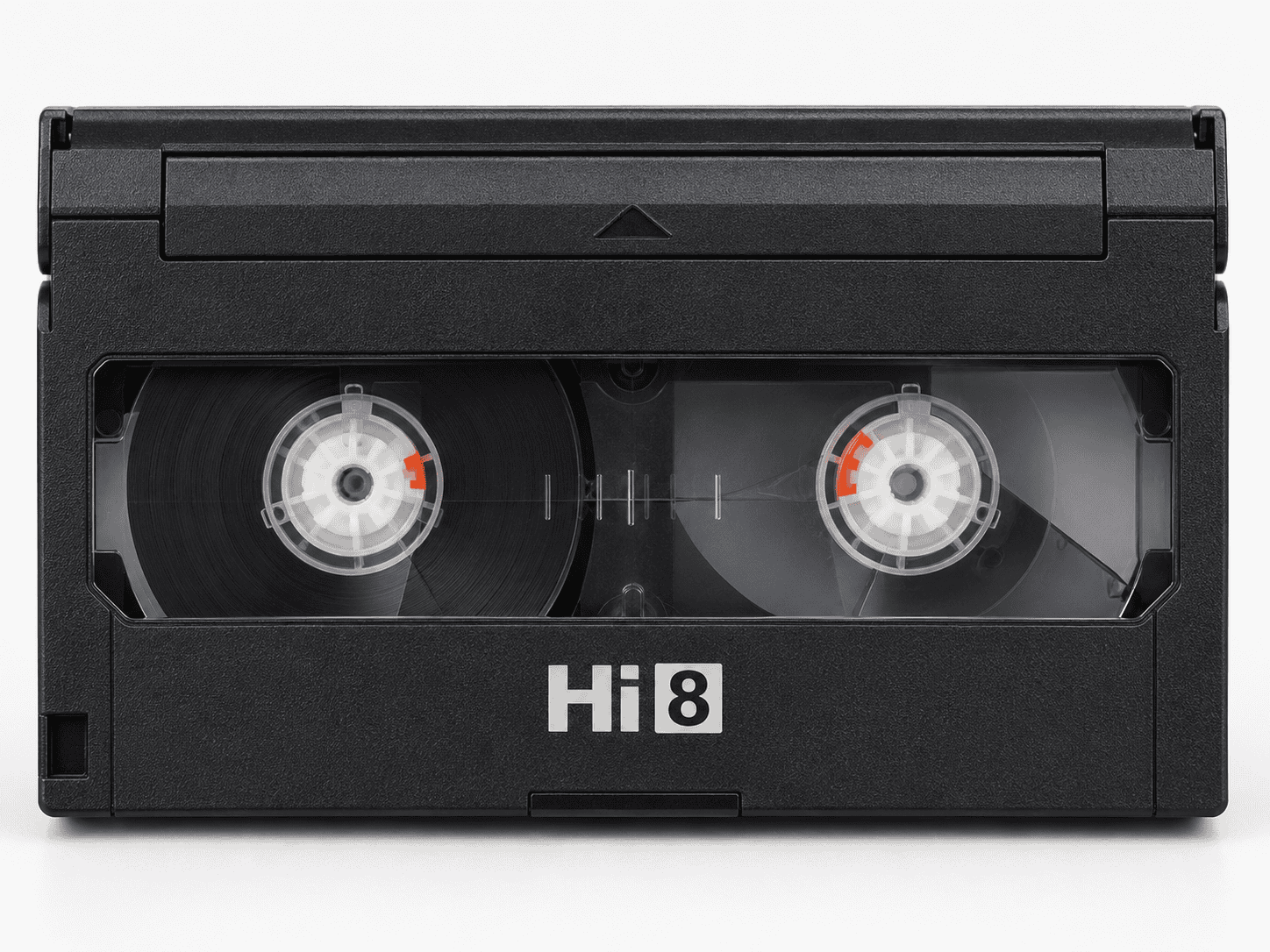
Hi8 developed from Video8 and offered improved analogue picture performance.
At first glance, a Hi8 cassette can look almost identical to Video8.
The most reliable clue is the label.
Look for:
- Hi8
- “High Band”
- “MP” or “ME” tape designations
- camcorder references to Hi8
Hi8 remained an analogue recording system despite its improved performance.
That matters because people sometimes assume anything labelled “8” must be digitally recorded.
It is not.
Can a Video8 Machine Play Hi8?
Not generally in full Hi8 quality.
Many Hi8 camcorders could play standard Video8 tapes, but the reverse compatibility was not guaranteed.
This is why identifying the actual recording standard matters before selecting playback equipment.
The physical cassette alone does not tell the entire story.
Digital8: Digital Recording on Familiar 8mm Tape
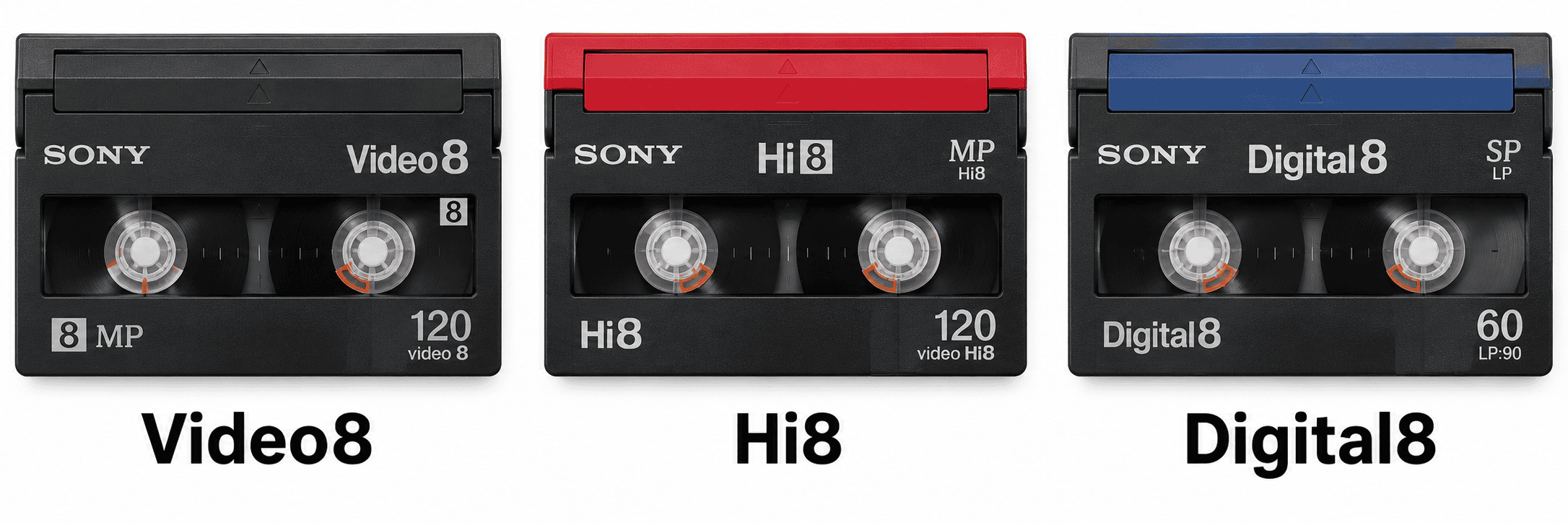
Digital8 is particularly easy to misunderstand because its cassettes can resemble Hi8 and Video8.
Sony announced Digital8 in January 1999 as a system that recorded digital video and sound onto conventional Hi8 tape.
Unlike Video8 and Hi8, Digital8 records digital video.
Sony specified:
- digital component video recording
- approximately 25 Mbps video data
- PCM digital audio
- 8mm tape
- the same basic 95 × 62.5 × 15mm cassette dimensions
Digital8 also ran the tape faster than conventional Hi8 recording, meaning a tape’s Digital8 recording time could be approximately half its labelled analogue capacity.
A Hi8 Cassette Does Not Necessarily Contain Hi8 Video
This is one of the most important points when identifying old camcorder tapes.
A cassette labelled Hi8 may contain:
- Hi8 analogue video
- standard Video8 analogue video
- Digital8 digital video
That is because some Digital8 camcorders could record digital footage onto suitable Hi8 cassettes.
You therefore cannot determine the recording format with absolute certainty from the cassette label alone.
The playback machine and recording history can provide additional clues.
Can Digital8 Camcorders Play Video8 and Hi8?
Some can.
Sony highlighted analogue playback compatibility as one of Digital8’s attractions when the format launched, noting that its early Digital8 camcorders could play existing analogue 8mm recordings.
However, this does not mean every Digital8 camcorder can play every analogue 8mm tape.
Compatibility varies between models.
When recovering an unidentified 8mm collection, it is therefore useful to work with equipment known to support all the relevant standards rather than assuming any Digital8 camcorder will do the job.
MiniDV: Small Cassette, Completely Different System
MiniDV looks distinctly different once you know what to look for.
The cassette is smaller than Video8, Hi8 or Digital8 and commonly measures around 66 × 48 × 12mm.
It normally has:
- a compact rectangular shell
- a hinged metal or plastic tape cover
- “MiniDV” or “DV” markings
- a small write-protect tab
- running times such as 60 or 80 minutes
MiniDV stores digital video using the DV recording system.
Sony’s history notes that DV camcorders appeared commercially in the mid-1990s and provided digital picture, sound and computer connectivity.
Unlike analogue VHS or Video8, MiniDV footage can often be transferred as its original digital DV data stream when suitable playback hardware and connections are available.
That can be preferable to converting it through an unnecessary analogue stage.
MiniDV and Digital8 Are Both Digital — But They Are Not Compatible
MiniDV and Digital8 both store digital video, but they use completely different cassette sizes and recording mechanisms.
You cannot put:
- MiniDV into a Digital8 camcorder
- Digital8 into a MiniDV camcorder
Their shared use of digital video does not make them interchangeable.
This distinction is important when sorting mixed camcorder collections.
The Easiest Way to Compare the Formats
A quick physical comparison looks like this:
VHS
Largest cassette.
Think conventional home video recorder.
VHS-C
Much smaller than VHS but relatively thick.
Often marked VHS-C.
Video8 / Hi8 / Digital8
All use essentially the same compact 8mm cassette shape.
The label provides the first clue, but the recording may not always match the cassette branding.
MiniDV
Noticeably smaller than the 8mm family and generally more compact and square-looking.
Usually clearly labelled MiniDV.
Why Cassette Size Alone Isn’t Enough
Physical dimensions help, but they do not always identify the recording.
This is particularly true with the 8mm family.
A single Hi8 cassette could potentially contain different recording systems depending on the camcorder used.
Likewise, writing on an old label may be incorrect.
Someone might have written:
“8mm holiday tape”
without knowing whether the recording was Video8, Hi8 or Digital8.
Treat handwritten descriptions as useful clues rather than technical proof.
Check the Camcorder Model if You Still Have It
One of the best identification aids is the original camera.
Look for the manufacturer’s model number and format logo.
The body may say:
- VHS-C
- Video8
- Hi8
- Digital8
- MiniDV
Search the exact model specification if necessary.
The model can also tell you whether a Digital8 machine supports analogue playback.
If you no longer have the camcorder, keep any boxes, manuals, chargers or accessories that were stored with the tapes. They can help identify the format later.
What About S-VHS and S-VHS-C?
You may also encounter S-VHS.
S-VHS stands for Super VHS and uses an enhanced analogue recording system designed to provide better luminance resolution than standard VHS.
Full-size S-VHS cassettes look broadly similar to VHS.
S-VHS-C is the compact equivalent.
Again, the physical cassette shape alone does not guarantee what signal was recorded on the tape.
Compatibility between VHS and S-VHS equipment can depend on both the deck and the recording mode.
Don’t Put an Unknown Cassette Into the Wrong Machine
If a cassette physically does not fit, never force it.
More importantly, even tapes that share a similar shell may require different playback standards.
Trying random equipment can introduce unnecessary risks if:
- the tape has mould
- the cassette mechanism is damaged
- the tape has become creased
- the reels resist movement
- the playback machine has a contaminated tape path
Magnetic tape can deteriorate physically over time. The Library of Congress notes problems such as shedding, sticking and squealing in magnetic tape collections, illustrating why ageing tape should be treated as a physical preservation issue as well as a playback problem.
What If the Tape Is Mouldy?
Do not play it.
Visible white, grey or fuzzy material around the tape pack can indicate contamination.
Playing such a cassette can spread debris through the machine and contaminate other tapes.
The same caution applies when you notice:
- broken cassette shells
- loose tape
- severe wrinkling
- sticky surfaces
- unusual smells
- jammed reels
Professional assessment can be safer than attempting playback on irreplaceable recordings.
How Should Old Video Cassettes Be Stored?
Keep tapes:
- upright where practical
- in their protective cases
- away from damp
- away from excessive heat
- away from strong magnetic fields
- in a stable indoor environment
- clearly labelled
The National Archives’ guidance on removable media covers magnetic tape as a storage medium and emphasises careful handling and suitable storage conditions for long-term preservation.
Do not touch exposed magnetic tape surfaces.
The fewer unnecessary playback cycles an ageing tape undergoes, the better.
Should You Rewind Old Tapes Before Digitising Them?
Not automatically.
If a tape has sat untouched for years, repeatedly fast-forwarding and rewinding it simply to “exercise” the tape can add mechanical stress.
A good transfer workflow assesses the cassette first.
If the tape packs unevenly, sticks, squeals or produces abnormal resistance, stop rather than forcing it through the mechanism.
Why Correct Identification Matters for Digitisation
The transfer chain starts with the correct playback machine.
A high-quality capture card cannot compensate for using the wrong deck.
For analogue formats such as VHS, VHS-C, Video8 and Hi8, the playback and signal-stabilisation stage can have a major influence on the resulting picture.
For digital formats such as MiniDV and Digital8, it may be possible to preserve the digital video data directly rather than converting through an analogue output.
That is why identifying the cassette format comes before choosing the digitisation method.
For mixed collections, specialist transfer of old video and camcorder tapes can help when several playback formats or machines are required.
Frequently Asked Questions About Cassette Video Tapes
How can I tell Video8 and Hi8 apart?
Look at the cassette label first.
Video8 tapes usually carry Video8 or 8mm branding, while Hi8 tapes normally display the Hi8 logo.
However, the label identifies the tape type rather than guaranteeing the recording format.
Is Digital8 the same as Hi8?
No.
Hi8 is an analogue video recording format.
Digital8 records digital video, although Digital8 commonly uses Hi8-style 8mm cassettes.
Can a Hi8 tape contain Digital8 video?
Yes.
Sony designed Digital8 to record digital video onto suitable conventional Hi8 tape.
Is MiniDV analogue or digital?
MiniDV is digital.
The cassette stores DV-format digital video and digital audio rather than an analogue video signal.
Can VHS-C tapes play in a VHS machine?
Yes, using a suitable VHS-C adaptor.
Do not insert the smaller cassette directly into a full-size VHS machine.
Are Video8 tapes the same size as Digital8?
The cassette dimensions are essentially the same.
The recording systems are different, so appropriate playback compatibility is still required.
Should I keep the tapes after digitising them?
Yes, wherever practical.
The cassette remains the original recording medium and could potentially be transferred again using different equipment in the future.
Digital copies should also exist in more than one location.
Identifying the Tape Is the First Step in Preserving It
Most cassette video tapes become much easier to identify once you separate them into four physical groups: full-size VHS, compact VHS-C, the shared Video8/Hi8/Digital8 cassette family, and the smaller MiniDV format.
The tricky part is the recording inside the cassette. Video8, Hi8 and Digital8 demonstrate why you cannot rely entirely on appearance or even the tape label. Correct playback equipment matters, especially when dealing with old or irreplaceable family recordings.
Sort the tapes carefully, record their labels, retain associated camcorder information and avoid unnecessary playback until you know what each format requires. For mixed, fragile or valuable collections, it ultimately makes sense to use an experienced professional company accustomed to working with multiple generations of video cassette formats, such as Supaphoto Ltd.