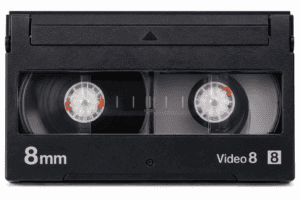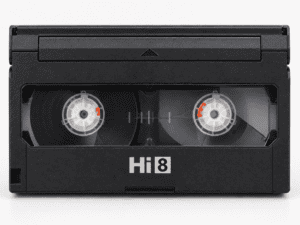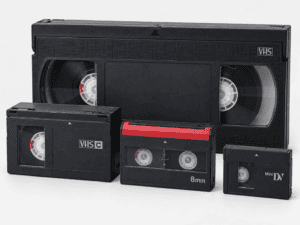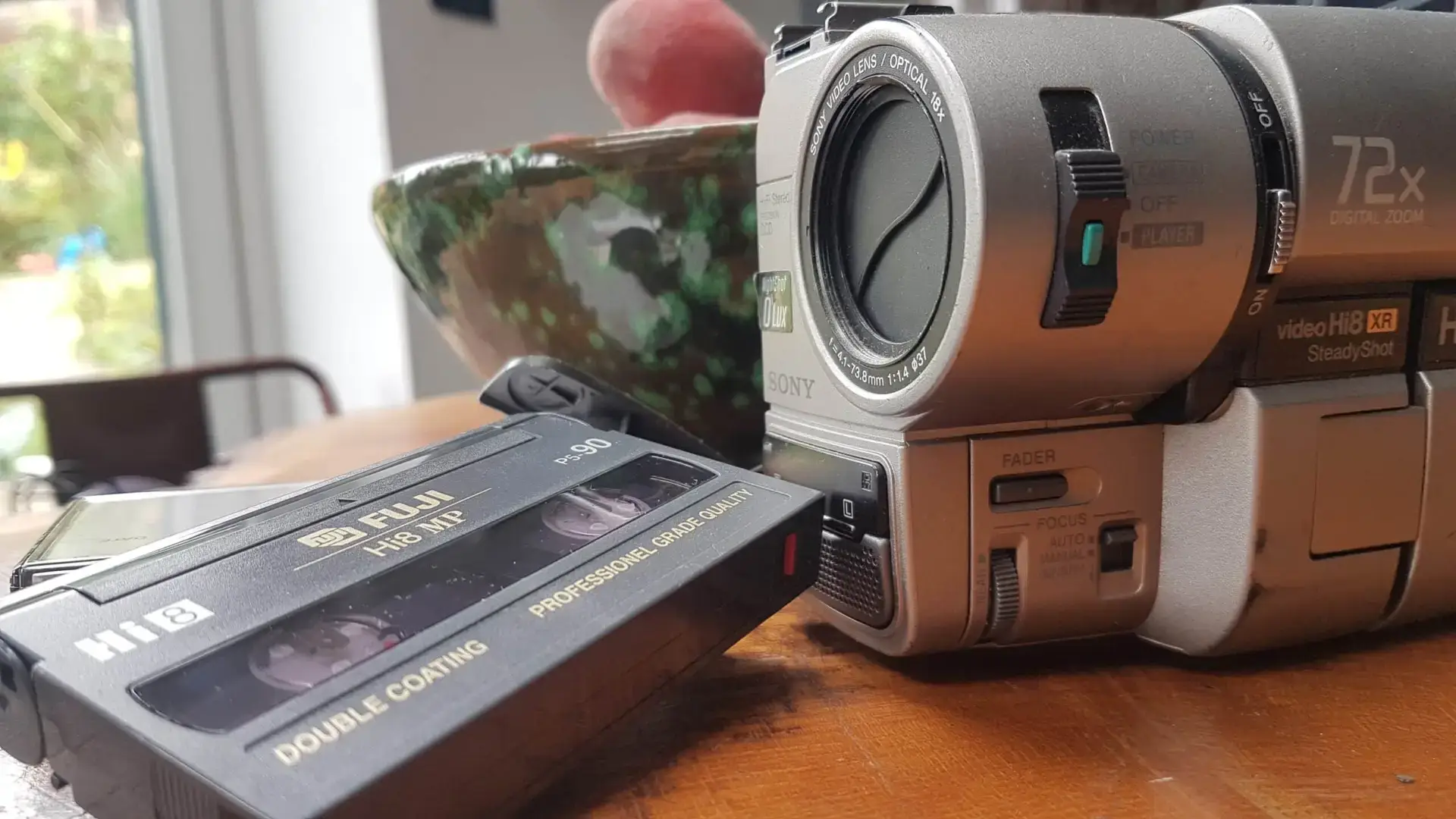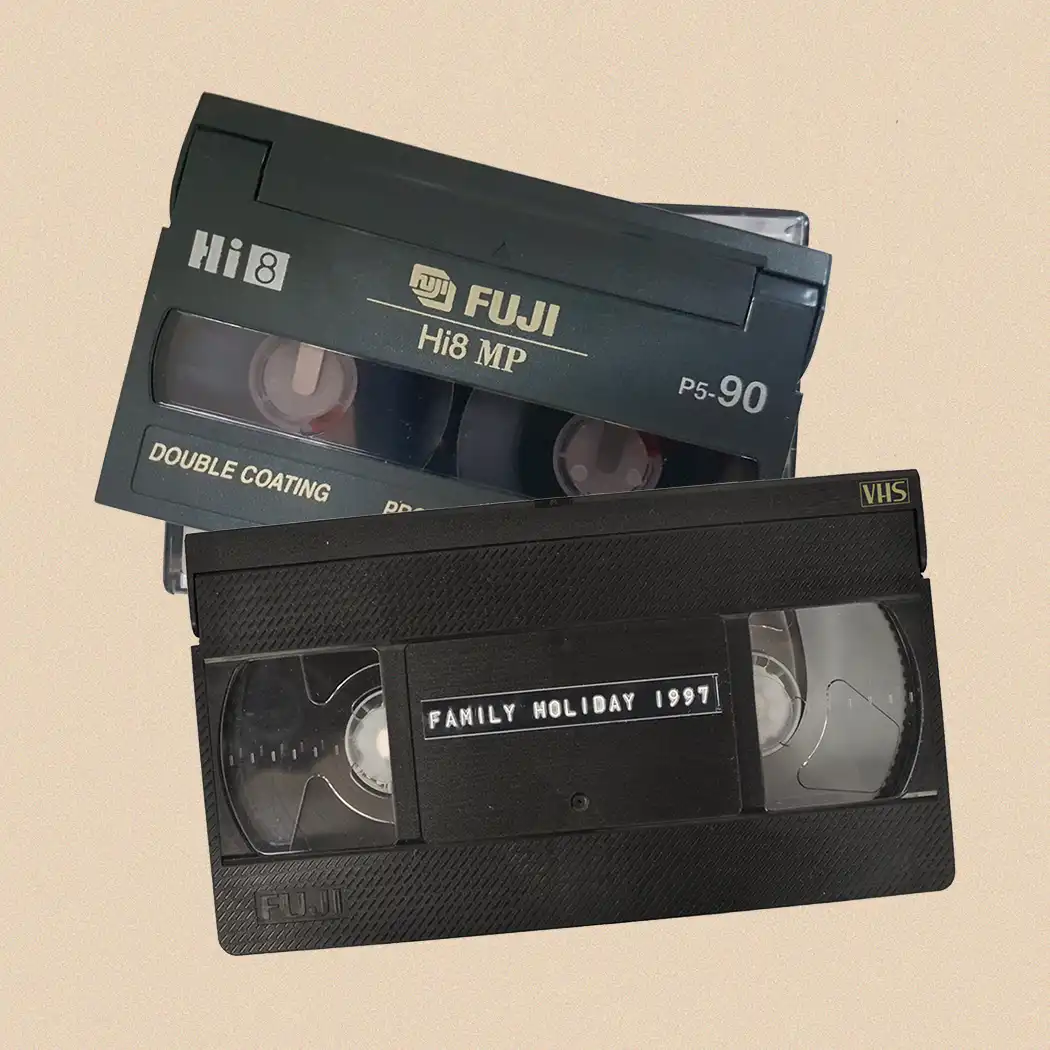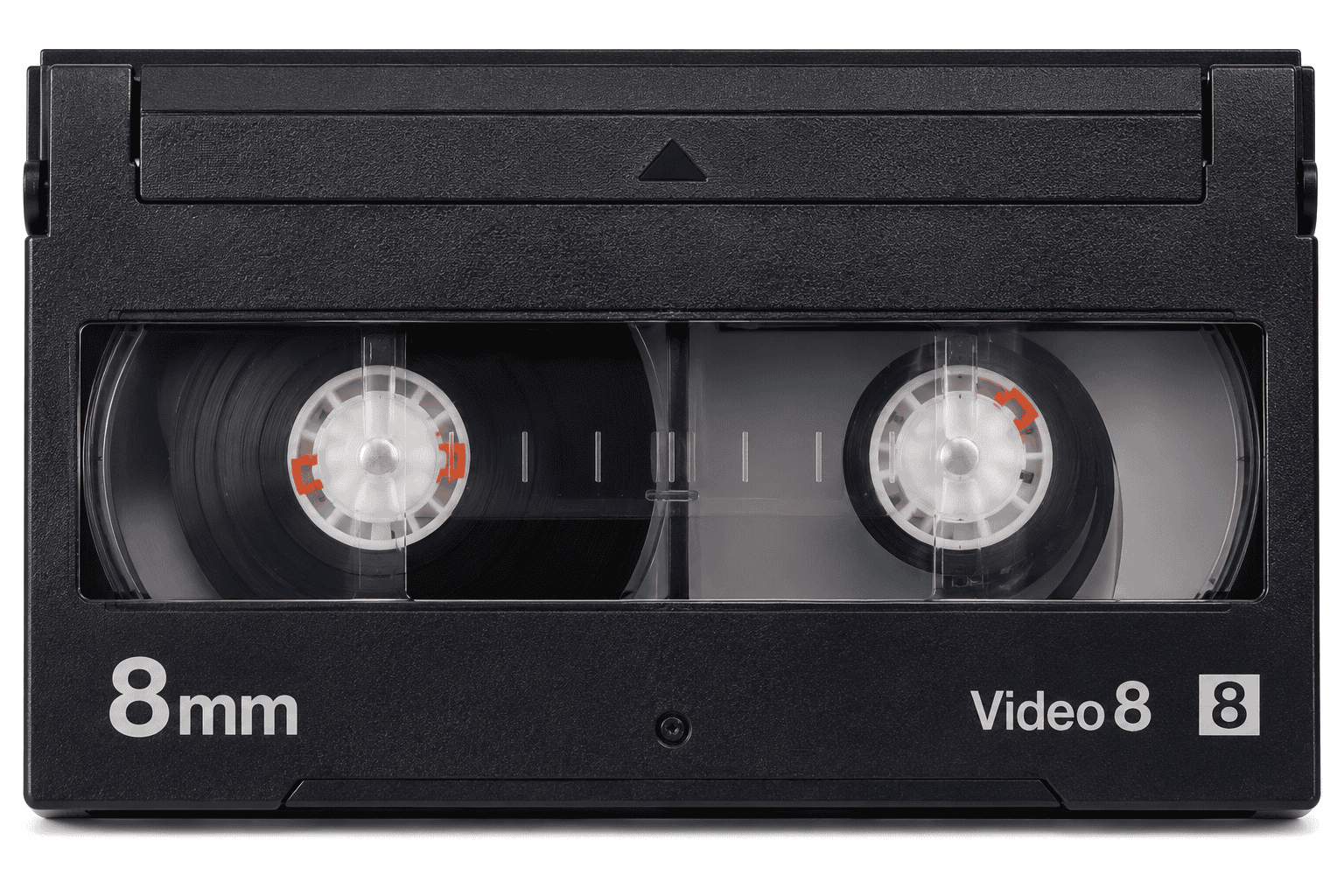

Before playing 8mm tapes, identify whether the recording is Video8, Hi8 or Digital8. The cassettes are physically almost identical, so the shell alone cannot reliably tell you what is recorded inside. Check the cassette label, approximate recording date, original camcorder and, most importantly, the playback capabilities of the machine you intend to use.
| Recording format | Analogue or digital? | Cassette size | Suitable playback equipment |
|---|---|---|---|
| Video8 | Analogue | 8mm cassette | Video8, Hi8 or compatible Digital8 player |
| Hi8 | Analogue | Same 8mm cassette | Hi8 or compatible Digital8 player |
| Digital8 | Digital | Same 8mm cassette | Digital8 player only |
The complication is that the tape type and recording format are not always the same thing. A cassette marked Hi8, for example, may contain a Digital8 recording.
Video8, Hi8 and Digital8 Share the Same Cassette Shape
This causes most of the confusion.
Video8, Hi8 and Digital8 all belong to the 8mm video family and use essentially the same cassette dimensions.
You cannot identify the recording format simply by holding the tapes next to each other.
A typical 8mm cassette measures approximately:
- 95mm wide
- 62.5mm high
- 15mm thick
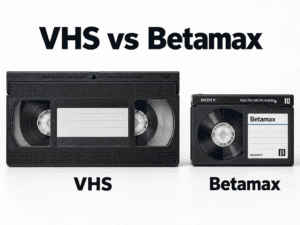
This makes them considerably smaller than VHS or VHS-C tapes.
Sony’s history of the format records that the 8mm video standard was established in 1984 and that its first integrated 8mm camcorder, the CCD-V8, followed in 1985. Sony’s history of 8mm video explains how the format developed.
Hi8 later improved the analogue system, while Digital8 brought digital recording to the familiar cassette.
Start by Reading Everything Printed on the Tape
The cassette label gives you the best first clue.
Look for logos such as:
- Video8
- 8mm
- Hi8
- Digital8
- MP
- ME
If the cassette says Video8, it was designed primarily for standard analogue 8mm recording.
If it says Hi8, it is higher-grade 8mm tape designed for Hi8 equipment.
But this is where things become less straightforward.
A Hi8 cassette could also have been used to make a Digital8 recording.
So the label tells you what kind of tape you have, but it does not always prove what recording format is actually on it.
A Hi8 Cassette Does Not Necessarily Contain Hi8 Video
This is probably the single most useful fact to understand.
Digital8 used the same physical 8mm cassette family.
Sony designed its Digital8 camcorders to record digital video using suitable 8mm media, including Hi8 tape.
This means a cassette clearly marked Hi8 might contain:
- standard Video8
- Hi8
- Digital8
The only reliable way to establish the recording format may be to know which camera made it or test it using compatible playback equipment.
This distinction matters because an analogue Hi8 machine cannot decode a Digital8 recording.
What Is Video8?
Video8 is the original analogue format in the 8mm family.
Sony’s first integrated 8mm camcorder appeared in 1985 after an industry standard for 8mm video had been established the previous year.
Video8 became popular because the cassettes and cameras were much smaller than full-size VHS equipment.
Typical Video8 recordings include:
- family holidays
- weddings
- birthdays
- school events
- children’s first years
- travel footage
Video8 is analogue.
A standard Video8 camcorder normally plays Video8 recordings only.
Sony’s playback guidance confirms that standard 8mm camcorders are intended for tapes recorded in the standard 8mm format. Sony’s compatibility guide sets out which formats different camcorder families can reproduce.
What Is Hi8?
Hi8 is an improved analogue 8mm format.
It provided better luminance resolution than standard Video8 and became common in higher-quality consumer and prosumer camcorders.
Hi8 tapes usually carry a clear Hi8 logo.
A Hi8 camcorder can generally play:
- Hi8 recordings
- standard Video8 recordings
This makes Hi8 equipment more versatile than a standard Video8-only camcorder.
However, an analogue Hi8 camcorder cannot normally reproduce a Digital8 recording.
Although the cassette fits perfectly, the information recorded on the tape is different.
Physical compatibility does not mean recording compatibility.
What Is Digital8?
Digital8 arrived later and stores digital video on 8mm-family tape.
Sony introduced its first Digital8 camcorders in 1999. The company designed them partly to provide a bridge between existing analogue 8mm collections and newer digital recording.
Digital8 records digital component video rather than the analogue signals used by Video8 and Hi8.
Sony’s launch documentation explained that early Digital8 machines could play existing Video8 and Hi8 recordings while recording new footage digitally. Sony’s original Digital8 announcement describes this backward-playback capability.
This sounds simple, but there is an important qualification.
Not every Digital8 camcorder supports analogue playback.
Do All Digital8 Camcorders Play Video8 and Hi8?
No.
This is where many people buy the wrong second-hand camcorder.
Sony states that most Digital8 camcorders can play standard 8mm and Hi8 recordings, but some models cannot.
A Digital8 logo on the camcorder therefore does not guarantee that it will play your old analogue tapes.
Before buying one, check the exact model number against:
- the original operating manual
- Sony’s support information
- confirmed playback specifications
Do not rely entirely on a marketplace seller saying:
“Digital8 – should play all 8mm tapes.”
That may be wrong.
For a collection containing a mixture of Video8, Hi8 and Digital8 recordings, model-specific compatibility is crucial.
Can a Video8 or Hi8 Camcorder Play Digital8?
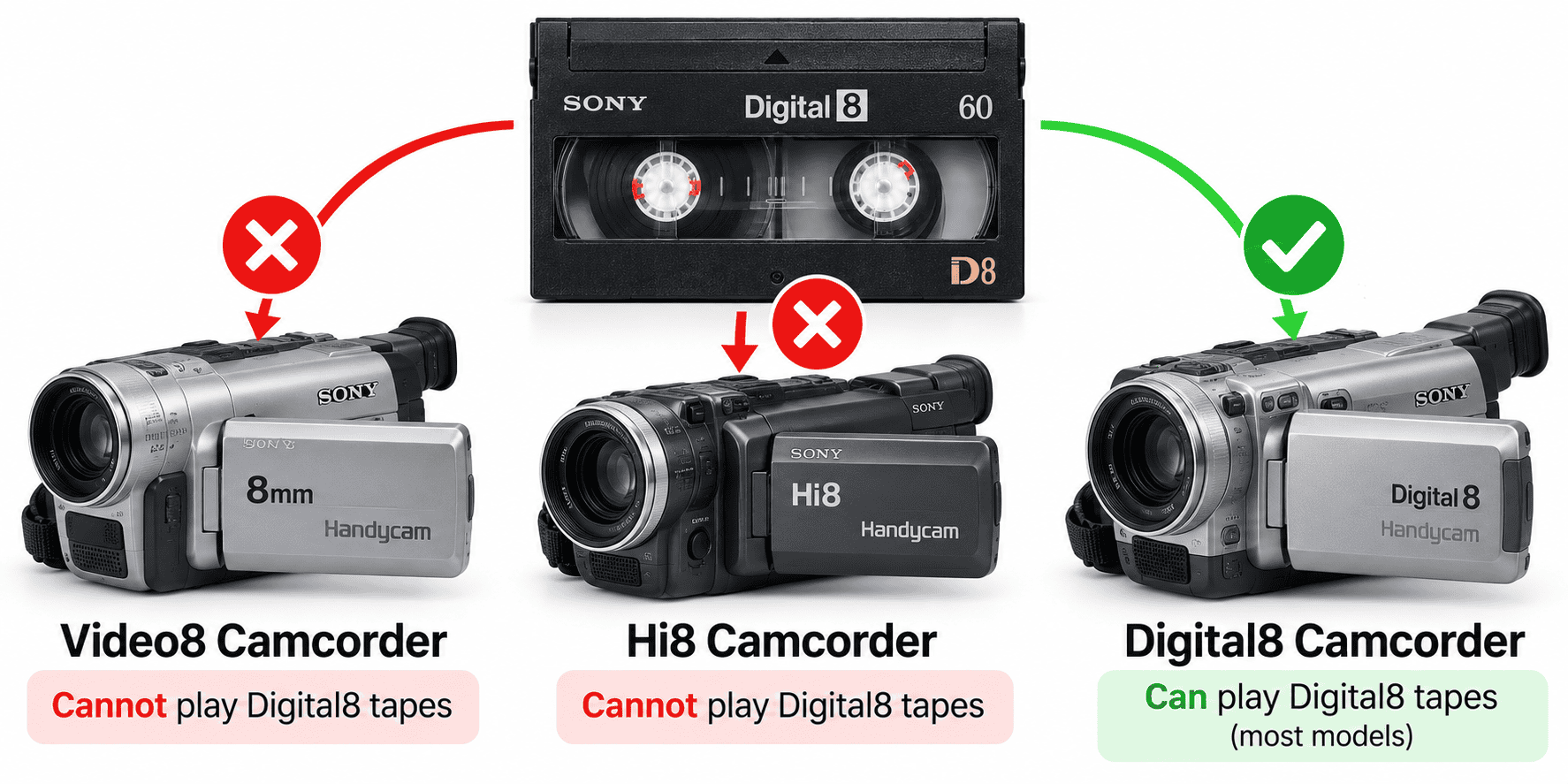
No.
Sony specifically confirms that Digital8 recordings cannot be played on standard analogue Video8 or Hi8 equipment.
Digital8 stores digital data that the older analogue machines cannot decode.
So you may put a Digital8-recorded cassette into a Hi8 camcorder and find:
- no recognisable picture
- noise
- a blank screen
- no useful audio
That does not necessarily mean the tape is blank or damaged.
You may simply be using the wrong playback format.
Use the Original Camcorder as Your Best Clue
If you still have the camera that originally recorded the tapes, identification becomes much easier.
Look for the model number and format logo.
The camera may say:
- Video8
- Hi8
- Digital8
- Handycam
Do not rely on the word Handycam by itself.
Handycam is a Sony product family name and appeared across different recording formats.
Instead, locate the exact model number, usually printed on:
- the underside
- side panel
- battery compartment area
- identification plate
Then check its specification.
If the camera still works, it may also be the best playback machine for tapes originally recorded on it.
Recording Dates Can Help Narrow Things Down
Dates provide clues, although they should never be treated as absolute proof.
A tape recorded in the mid-1980s cannot originally have been Digital8 because Digital8 did not yet exist.
Sony introduced its first 8mm camcorder in 1985 and announced Digital8 machines in 1999.
So a tape labelled:
Cornwall 1987
is likely to contain Video8 if the label and recording date are accurate.
A tape labelled:
Christmas 2002
could potentially contain Video8, Hi8 or Digital8 depending on the camera used.
Family labels are not always reliable, either. Someone may have reused an older cassette years later.
Use dates as supporting evidence rather than your only test.
Tape Running Time Can Provide Another Clue
Digital8 recorded tape differently from the earlier analogue formats.
Sony states that Digital8 recording runs tape at approximately twice the speed used for standard Video8 or Hi8.
That means a cassette labelled for a particular analogue recording duration may provide considerably less recording time when used for Digital8.
If handwritten notes indicate unexpectedly short recordings compared with the tape’s stated capacity, Digital8 becomes one possibility.
Again, this is a clue rather than proof.
What Happens If You Try the Wrong Player?
Usually, the tape simply will not reproduce a usable picture.
For example:
- Digital8 recording in a Video8 player → no usable digital picture
- Digital8 recording in a Hi8 player → no usable digital picture
- Hi8 recording in a Video8-only player → generally not proper Hi8 playback
- Video8 recording in a compatible Hi8 player → usually works
- Video8 recording in a backward-compatible Digital8 player → usually works
- Hi8 recording in a backward-compatible Digital8 player → usually works
Never force a cassette that does not load correctly.
The 8mm family shares a cassette shape, so physical fit will not protect you from choosing an electronically incompatible machine.
Check the Tape Before Trying to Play It
Format compatibility is only one consideration.
An old 8mm cassette can also suffer physical deterioration.
Inspect it before playback.
Look for:
- mould
- loose tape
- broken shell components
- cracked reel hubs
- visible creasing
- contamination
- tape protruding from the cassette
- unusual resistance when the reels move
Do not open the cassette casually or touch the magnetic tape surface.
The National Archives advises that magnetic tape cartridges should not be opened unnecessarily and that the recording surface should not be touched. Its guidance on handling magnetic media explains appropriate care for tape cartridges.
If you see mould or physical damage, avoid testing the cassette in a valuable camcorder.
Why an Old Camcorder May Show No Picture Even With the Correct Format
The wrong recording format is only one possible cause.
You could also have:
- dirty video heads
- a damaged tape
- poor tape alignment
- a failing camcorder
- a blank section of tape
- incompatible PAL/NTSC equipment
- a deteriorated recording
Do not immediately conclude that an unrecognised picture means the tape contains Digital8.
Try to establish whether the playback machine works correctly with a known-good tape of the same format.
This separates a tape problem from an equipment problem.
PAL and NTSC Can Complicate Playback
UK home-video recordings normally use PAL, while tapes made in countries such as the United States may use NTSC.
A camcorder designed only for one television standard may not correctly reproduce a tape recorded using the other.
This can become relevant with:
- tapes recorded while living abroad
- imported camcorders
- second-hand machines bought online
- mixed international family collections
When buying playback equipment, check both format compatibility and television standard.
“Plays Hi8” is not necessarily enough information.
What’s the Best Machine for a Mixed 8mm Collection?
A backward-compatible Digital8 camcorder can be particularly useful because selected models can reproduce:
- Video8
- Hi8
- Digital8
But check the exact model before buying.
Do not assume every Digital8 machine provides this capability.
For a collection where the recording types remain uncertain, specialist transfer of older camcorder tapes using appropriate playback equipment avoids relying on a single unverified second-hand camera.
This becomes particularly useful when tapes span many years and several different camcorders.
Digital8 Offers an Extra Advantage During Digitisation
When the recording itself is Digital8, suitable equipment can output the video digitally.
Many Digital8 camcorders provide an IEEE 1394 connection, commonly called:
- FireWire
- i.LINK
- DV
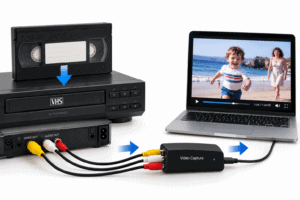
This can allow transfer of the digital video stream without converting it through an analogue composite-video stage.
For actual Digital8 recordings, retaining the original digital data route can be preferable where suitable equipment remains available.
Video8 and Hi8 recordings remain analogue, even when a compatible Digital8 camcorder plays them.
Those recordings still require analogue-to-digital conversion somewhere in the transfer chain.
Keep Your Tapes in Order While Identifying Them
Do not create a pile of loose cassettes while testing them.
Use a basic reference system:
- Box01_Tape01
- Box01_Tape02
- Box01_Tape03
Record:
- label text
- visible format logo
- approximate date
- original camcorder if known
- successful playback machine
- actual recording format once identified
This becomes invaluable with larger family collections.
A tape marked Hi8 could later prove to contain Digital8 footage, so keeping a record prevents you from having to identify everything again.
Frequently Asked Questions About Playing 8mm Tapes
Are Video8 and Hi8 tapes the same size?
Yes. Video8, Hi8 and Digital8 use essentially the same physical cassette dimensions.
Their recording formats differ.
Can a Hi8 player play Video8 tapes?
Generally, yes.
Sony’s compatibility guidance states that Hi8 camcorders can play standard 8mm recordings as well as Hi8 recordings.
Can Hi8 play Digital8?
No.
Digital8 contains digital information that analogue Hi8 equipment cannot decode.
Can a Digital8 camcorder play Hi8?
Many can, but not all.
Always check the exact Digital8 camcorder model before buying it for analogue playback.
Can a Hi8-labelled tape contain Digital8 video?
Yes.
The cassette label identifies the tape type, not necessarily the recording format placed on it.
How do I know if an 8mm tape is blank?
Use compatible known-good playback equipment and check multiple sections cautiously.
A blank screen on an incompatible machine does not prove that the tape contains nothing.
Is MiniDV an 8mm format?
No.
MiniDV is a different cassette format and is physically smaller. It requires MiniDV-compatible playback equipment.
Identify the Recording Before Choosing the Player
The hardest part of playing 8mm tapes is that Video8, Hi8 and Digital8 can all arrive in nearly identical cassettes.
Start with the tape label and date, then identify the original camcorder if possible. Most importantly, check the exact specifications of any playback machine before assuming compatibility.
A Hi8 label does not guarantee an analogue Hi8 recording, and a Digital8 camcorder does not automatically guarantee Video8 and Hi8 playback.
Once you understand those two points, identifying a mixed 8mm collection becomes considerably easier. For fragile, unidentified or irreplaceable family recordings, it ultimately makes sense to choose an experienced professional company with access to appropriate legacy playback equipment, such as Supaphoto Ltd.