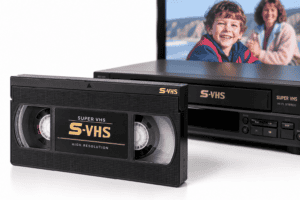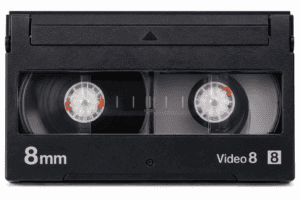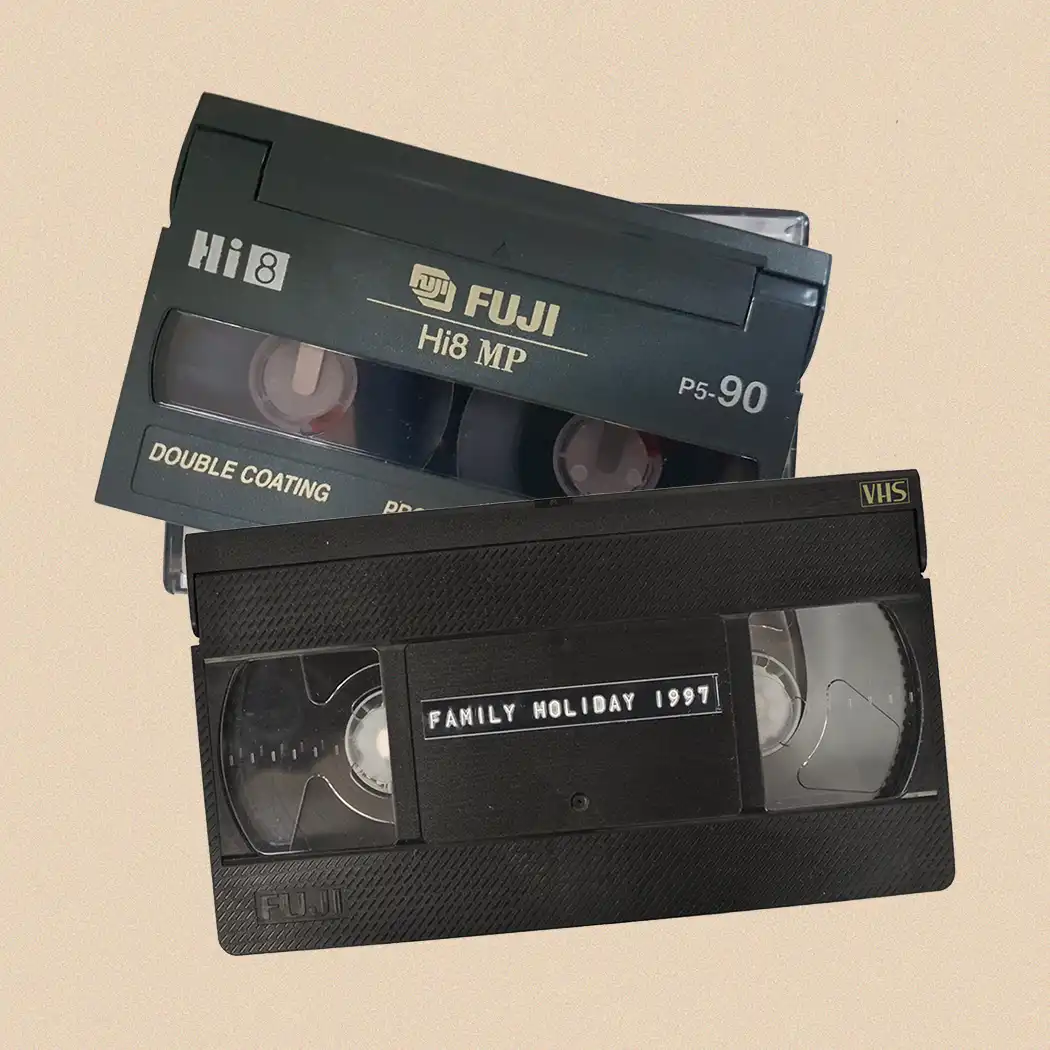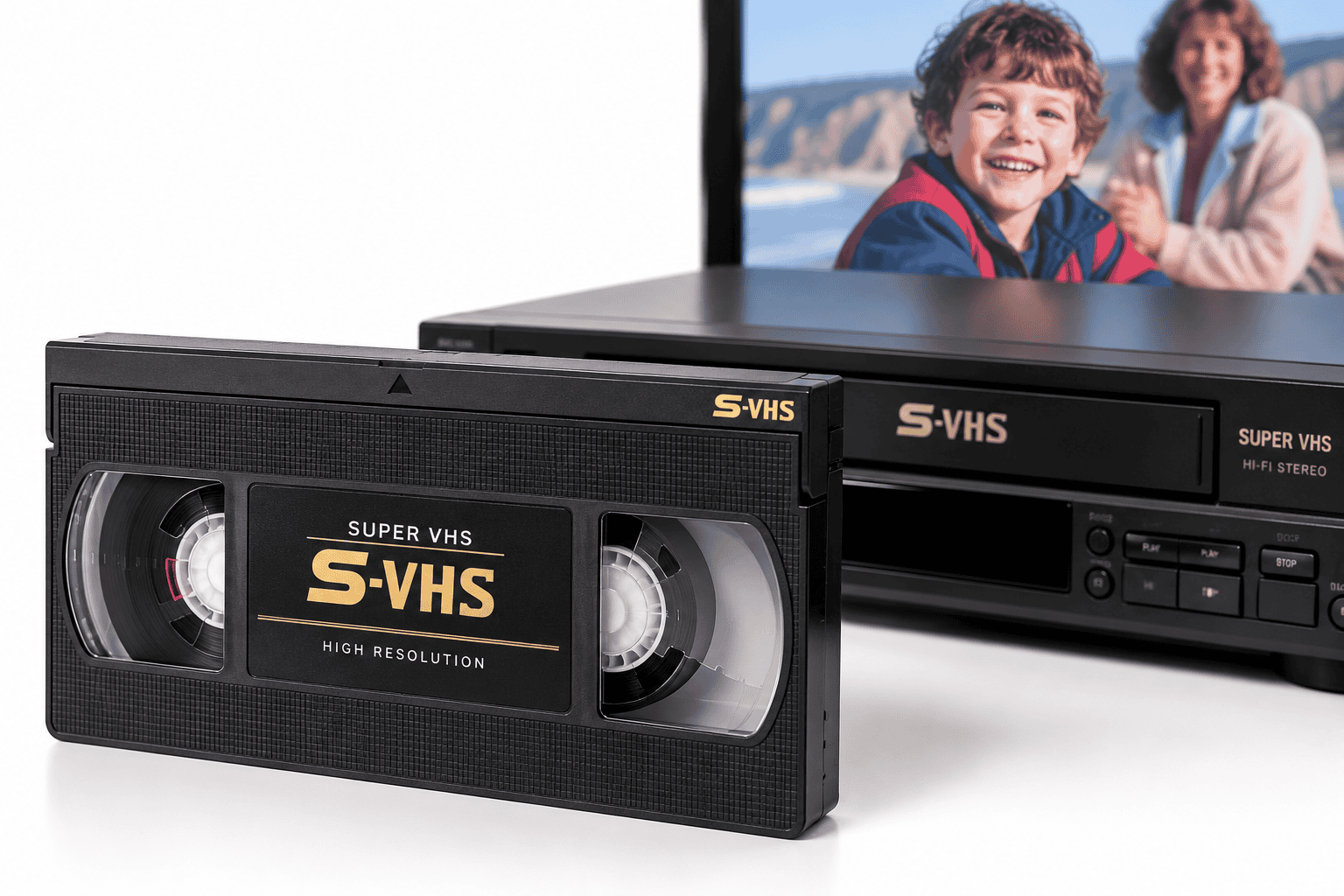

To convert Super VHS to digital properly, you need a machine capable of playing the S-VHS recording format. Although S-VHS and VHS cassettes look almost identical, S-VHS records substantially more picture detail. A standard VHS-only VCR cannot correctly reproduce a true S-VHS recording, even though the cassette may physically fit inside it.
| Feature | VHS | S-VHS |
|---|---|---|
| Tape width | 12.7mm / ½ inch | 12.7mm / ½ inch |
| Cassette size | Essentially identical | Essentially identical |
| Recording type | Analogue | Analogue |
| Approx. horizontal resolution | Around 240–250 lines | More than 400 lines |
| VHS playback in S-VHS machine | Usually yes | — |
| True S-VHS playback in VHS-only machine | No | Requires compatible deck |
| Preferred video output | Composite or SCART | Y/C / S-Video where available |
The difference is therefore not primarily the plastic cassette. It lies in how the video signal was recorded onto the magnetic tape.
S-VHS Is More Than a Better Quality VHS Tape
Super VHS, usually abbreviated to S-VHS, developed the VHS system to record a higher-bandwidth luminance signal.
That increased the amount of picture detail the tape could preserve.
Technical documentation for the format puts conventional VHS horizontal resolution at approximately 240 lines for NTSC and around 250 lines for PAL/SECAM, while S-VHS was designed to exceed 400 lines.
For home videos, this could make fine detail noticeably clearer, particularly in:
- faces
- hair
- clothing texture
- lettering
- buildings
- foliage
- high-contrast edges
This extra detail is exactly why playback equipment matters during digitisation.
If the deck cannot recover the S-VHS signal correctly, simply using a high-resolution capture card afterwards cannot recreate information lost at the playback stage.
An S-VHS Cassette Can Look Almost Exactly Like VHS
At first glance, VHS and S-VHS tapes are remarkably similar.
Both use:
- the familiar full-size VHS cassette
- ½-inch magnetic videotape
- two internal reels
- the same basic cassette dimensions
This can make identification confusing when sorting an old family video collection.
S-VHS cassettes normally carry an S-VHS logo and use tape formulated for the higher-quality recording system.
There are also physical identification differences in the cassette design that compatible machines can detect.
However, the label on the shell should not be your only evidence.
A cassette marked S-VHS tells you what kind of tape it is. It does not prove beyond doubt what recording format was actually used.
An S-VHS Tape Doesn’t Always Contain an S-VHS Recording
This is an important distinction.
Some S-VHS recorders could use an S-VHS cassette while recording in ordinary VHS mode.
In that situation:
S-VHS cassette + VHS recording mode = VHS-format recording
The physical tape may say S-VHS, but the programme stored on it can still be ordinary VHS.
Likewise, an S-VHS machine can normally play conventional VHS recordings.
This is why professional identification should consider the recorded signal, not simply the wording printed on the cassette.
If you have inherited tapes without reliable labels, a compatible S-VHS deck provides much more flexibility because it can normally accommodate both formats.
Can You Play S-VHS in an Ordinary VHS Player?
A true S-VHS recording requires compatible playback equipment.
A conventional VHS-only VCR was not designed to reproduce the full S-VHS recording format.
Sony’s documentation for S-VHS equipment specifically distinguishes the two: recordings made in VHS format can play in an S-VHS machine, while a recording made in S-VHS format cannot simply be played as S-VHS by a VHS-only VTR.
That makes the compatibility direction important:
VHS recording → S-VHS deck: generally compatible
S-VHS recording → VHS-only deck: not normally compatible
There were later machines with special playback features that complicate the picture, so the exact VCR model always matters.
But if you want to preserve the full quality of an S-VHS recording, use an appropriate S-VHS deck rather than relying on basic VHS compatibility.
Why Using the Wrong VCR Can Reduce the Final Digital Quality

A digital conversion can only capture the signal that reaches the capture equipment.
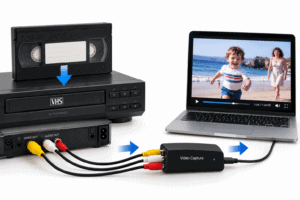
The chain works broadly like this:
Tape → playback heads → VCR electronics → video output → analogue-to-digital converter → digital file
If quality disappears at the first two or three stages, the computer cannot restore the original signal later.
Using unsuitable playback equipment may result in:
- loss of fine picture detail
- noisy edges
- unstable playback
- poor tracking
- incorrect colour
- increased interference
- failure to reproduce the recording correctly
This is why buying an expensive capture device while using the wrong VCR rarely solves the problem.
The playback machine is one of the most important components in the transfer chain.
Why S-Video Is Particularly Useful for S-VHS Transfer
Despite the similar names, S-Video and S-VHS are not the same thing.
S-VHS is a recording format.
S-Video is a video connection method.
The two became closely associated because S-Video carries the luminance and chrominance information separately as Y/C, helping avoid some of the mixing and re-separation required by composite video.
S-VHS was specifically designed to benefit from separate Y/C connections.
Where the playback deck and capture equipment support it, an S-Video connection can therefore provide a better route for preserving the quality available from an S-VHS source than ordinary composite video.
That does not mean every S-Video connection will magically improve a bad tape. It simply avoids an unnecessary stage of combining picture components before capture.
S-Video, Composite and SCART: Which Should You Use?
For a PAL S-VHS transfer, the best connection depends on the particular VCR and capture equipment.
S-Video
Usually the preferred analogue connection when the deck provides a genuine Y/C output.
It keeps luminance and colour separate.
SCART
SCART is a connector rather than one specific video format.
Depending on the equipment and wiring, a SCART connection may carry:
- composite video
- RGB
- Y/C / S-Video
You therefore cannot judge signal quality merely by seeing a SCART socket.
Composite Video
Composite combines luminance and colour into one signal.
It is extremely common and useful, particularly for ordinary VHS, but it can introduce additional artefacts compared with a good Y/C path.
For an S-VHS source, use the best native output the deck and capture chain genuinely support rather than adding unnecessary converters.
Does S-VHS Mean the Recording Is High Definition?
No.
S-VHS is still a standard-definition analogue videotape format.
Its picture quality is higher than VHS, but that does not make it HD in the modern sense.
Creating a 1080p or 4K digital file from an S-VHS tape does not turn the source into genuine HD.
Upscaling can make a file compatible with modern workflows, and restoration can improve its appearance, but it cannot create authentic detail that the tape never recorded.
The objective of a good conversion is to retain as much of the original analogue information as possible.
What Is S-VHS-ET?
Some later equipment introduced S-VHS-ET, with ET standing for Expansion Technology.
This allowed certain machines to record an S-VHS-type higher-quality signal onto selected ordinary VHS cassettes.
That creates another potential identification problem.
A tape may therefore:
- look like ordinary VHS
- carry no S-VHS cassette branding
- yet contain an S-VHS-ET recording
The recording mode matters just as much as the shell.
If an apparently normal VHS tape will not play correctly in a standard deck, do not automatically assume the tape is damaged. It may be worth checking whether it came from an S-VHS or S-VHS-ET recorder.
Tracking and Head Alignment Matter During Transfer
Analogue video playback is mechanical.
The rotating video heads must follow extremely narrow recorded tracks across the magnetic tape.
Small differences between the machine that made the recording and the machine now playing it can produce:
- horizontal noise
- picture breakup
- unstable edges
- lines across the image
- intermittent picture loss
Tracking adjustment can sometimes improve the result considerably.
For difficult recordings, trying an alternative compatible deck can also help because one machine may track a particular tape better than another.
This is another reason professional transfer setups often use more than one VCR rather than expecting a single machine to handle every cassette equally well.
Time Base Correction Can Improve an Unstable Signal
Old analogue videotape does not always leave the VCR with perfectly stable timing.
Mechanical tolerances, tape wear and ageing can cause the horizontal timing of the video signal to fluctuate.
A time base corrector, usually shortened to TBC, helps stabilise that signal before or during capture.
Depending on the equipment, correction may occur:
- inside the VCR
- through a separate external processor
- within part of the conversion chain
This can help reduce instability such as:
- horizontal waviness
- image displacement
- timing errors
- capture-device synchronisation problems
A TBC cannot repair every damaged picture, but stable playback and signal timing are important when transferring analogue video.
Cleaning the Tape Isn’t the Same as Cleaning the VCR
If an S-VHS recording has picture problems, avoid immediately blaming dirt on the cassette.
Playback faults can arise from:
- dirty video heads
- contaminated tape path
- poor tracking
- damaged tape
- mould
- creasing
- deterioration
- alignment differences
Routine maintenance of the VCR matters because deposits in the tape path can interfere with playback and potentially contaminate other tapes.
The US National Archives recommends keeping playback equipment and tape paths clean as part of caring for magnetic media.
If a cassette contains visible mould, do not repeatedly put it into valuable VCRs. Mould can contaminate the mechanism and other recordings.
What Digital Format Should S-VHS Be Converted To?
There is no single file format that suits every purpose.
A useful strategy is to separate preservation from everyday viewing.
Preservation or Editing Master
A high-quality master retains more of the captured information and gives you greater flexibility for:
- editing
- restoration
- future conversion
- colour correction
- deinterlacing
Suitable professional workflows may use high-quality codecs such as ProRes or lossless alternatives.
MP4 Viewing Copy
MP4 using a modern codec such as H.264 provides a practical everyday version for:
- computers
- televisions
- tablets
- phones
- sharing with family
The US National Archives similarly distinguishes between high-quality preservation copies and convenient access copies such as MP4 files.
For valuable family recordings, keeping both is sensible.
Should S-VHS Be Deinterlaced?
PAL VHS and S-VHS recordings were normally interlaced.
Modern computers and phones generally use progressive displays, so deinterlacing may improve viewing.
However, preserve the original temporal information carefully.
A poor deinterlacing process can introduce:
- jagged edges
- reduced motion smoothness
- loss of vertical detail
Ideally, keep an appropriate master representing the original capture and create a separate progressive viewing version where required.
How to Approach an S-VHS Transfer
A careful workflow typically includes:
- Identify the cassette and recording format.
- Inspect the tape before playback.
- Choose a compatible S-VHS deck.
- Clean and check the VCR tape path.
- Set tracking appropriately.
- Use the best available native video output, ideally Y/C where appropriate.
- Stabilise the analogue signal where necessary.
- Capture the programme in real time.
- Check the complete recording for errors.
- Create suitable master and viewing files.
- Back up the finished digital files.
A specialist transfer service for VHS-family videotapes can be particularly useful when a collection contains a mixture of VHS, S-VHS and poorly labelled recordings that need different playback approaches.
Keep the Original S-VHS Tape After Digitisation
Do not dispose of the cassette after transfer.
Digital files make old recordings easier to watch, but the tape remains the original source.
The Library of Congress points out that playback machines for analogue audiovisual formats eventually become obsolete, making migration to current digital formats an important part of preservation.
At the same time, keeping the original tape provides another opportunity to transfer it in future if improved equipment or restoration becomes available.
Store magnetic videotapes:
- vertically
- inside their cases
- somewhere dry and stable
- away from strong magnetic fields
- away from excessive heat and damp
Avoid leaving a cassette inside a VCR when you are not using it.
Frequently Asked Questions About Super VHS
Is S-VHS the same size as VHS?
Yes. Full-size S-VHS and VHS cassettes use essentially the same physical cassette dimensions and ½-inch tape.
Is S-VHS digital?
No. S-VHS is an analogue videotape format.
Can an S-VHS VCR play ordinary VHS tapes?
Generally, yes. S-VHS decks were designed to maintain compatibility with ordinary VHS recordings.
Can a normal VHS player play an S-VHS tape?
The cassette may physically fit, but a true S-VHS recording requires appropriate playback capability. A VHS-only VCR cannot reproduce it as a proper S-VHS recording.
Is an S-VHS cassette always recorded in S-VHS?
No. Compatible equipment could record ordinary VHS-format material onto an S-VHS cassette.
Is S-Video the same as S-VHS?
No. S-Video is a Y/C connection system. S-VHS is a magnetic video recording format.
Is S-VHS better than VHS?
In picture-resolution terms, yes. S-VHS was developed to record considerably more luminance detail than standard VHS.
Can S-VHS be converted to MP4?
Yes. Once captured correctly, the recording can be encoded into MP4 for convenient modern playback.
Correct Playback Comes Before Digital Enhancement
When you convert Super VHS to digital, the most important part of the process happens before the computer receives the signal. The correct S-VHS playback deck, suitable tracking, a clean tape path and an appropriate Y/C connection can preserve information that a standard VHS-only setup may fail to recover.
Restoration, noise reduction and upscaling can all happen later. None of them can fully recreate picture information that was lost because the tape was played incorrectly in the first place.
For one straightforward recording, a careful home setup may be sufficient. For ageing, valuable or mixed-format collections, it ultimately makes sense to choose an experienced professional company with the correct playback equipment and knowledge of analogue video formats, such as Supaphoto Ltd.