
For most people, professional photo scanning provides the most consistent results across a large or valuable collection, while a flatbed scanner can work well for smaller batches and a phone is convenient for quick copies. The right choice depends on the condition of your photographs, the quality you need and how much time you want to spend.
Phone vs flatbed scanner vs professional photo scanning at a glance
| Method | Best suited to | Main advantage | Main limitation |
|---|---|---|---|
| Phone camera | A few photographs, quick sharing or reference copies | Fast and convenient | Lighting, reflections, alignment and image quality can be difficult to control |
| Flatbed scanner | Smaller collections where you want more control | Consistent, direct capture of flat prints | Slow for large collections and requires careful handling |
| Professional photo scanning | Large, valuable or mixed collections | Consistent workflow, specialist equipment and less work for you | You are paying for a service rather than doing it yourself |
There is also an important distinction between making a digital copy and creating a high-quality digital reproduction suitable for long-term preservation or future printing. The equipment is only part of the equation: preparation, lighting, colour, resolution, handling and file management all affect the result.
The Federal Agencies Digital Guidelines Initiative (FADGI), which develops technical guidance for digitising still images, recognises digital cameras, flatbed scanners and planetary scanners as appropriate technologies for photographic materials. It also stresses that image quality depends on more than resolution alone, including tone and colour reproduction.
Is using a phone good enough for scanning old photographs?
A modern phone can produce surprisingly useful copies of photographs. For a few family pictures that you simply want to share with relatives, a carefully taken phone photograph may be perfectly adequate.
A phone is particularly convenient because:
- You already have the equipment.
- You can photograph several pictures relatively quickly.
- Digital files can be shared immediately.
- You do not need a dedicated scanner.
- You can photograph photographs that are difficult to remove from an album.
A phone camera works on the same basic principle as a conventional digital camera: light passes through a lens and reaches a sensor, which creates the digital image.
However, photographing a photograph is not the same as placing it flat on a scanner.
Common problems with phone photography
The quality can be affected by:
- Reflections from glossy photographic paper
- Uneven lighting
- Shadows from the phone or photographer
- Perspective distortion
- The photograph not being completely square to the camera
- Automatic exposure or colour adjustments
- Dust and marks being recorded in the image
- Insufficient resolution for large reprints
- Difficulty maintaining consistent results across hundreds of photographs
You can improve results by placing the photograph on a flat, clean surface, using even indirect lighting and keeping the phone parallel to the photograph.
Avoid using the camera flash directly on a glossy photograph because reflections can obscure parts of the image.
For a handful of ordinary snapshots, these limitations may not matter much. For a large family archive, however, consistency becomes much more important.
When is a flatbed scanner better?
A flatbed scanner is often a good middle ground between photographing prints with a phone and paying someone else to digitise an entire collection.
The photograph is placed directly on the scanner glass, allowing the scanner to capture the image in a controlled way.
This can provide advantages such as:
- Consistent positioning
- Even illumination
- Repeatable results
- Straightforward cropping
- Control over scanning settings
- Greater consistency across a collection
- The ability to create relatively high-resolution digital files
FADGI lists flatbed scanners among the recommended technologies for digitising photographic prints, while also recognising camera-based and planetary scanning approaches.
For someone with a modest collection and an interest in doing the work themselves, a good flatbed scanner can therefore be a practical option.
But scanning hundreds of photographs takes time
The biggest problem with home scanning is often not the scanner itself. It is the amount of work involved.
Imagine a collection containing several hundred photographs. Each image may need to be:
- Removed from its storage.
- Checked for dust or marks.
- Positioned on the scanner.
- Scanned.
- Checked on the computer.
- Cropped or rotated.
- Named correctly.
- Saved in the appropriate format.
- Backed up.
The process becomes particularly time-consuming when photographs have different sizes, orientations or conditions.
This is one reason professional photo scanning can become attractive for larger collections.
Is a flatbed scanner suitable for old or fragile photographs?
Not always.
A photograph that is flat and in reasonable condition may be straightforward to scan, but an old photograph that is curled, brittle, damaged or otherwise fragile needs more consideration.
The US National Archives advises that photographs should fit completely on the scanner surface and warns that the scanner lid can crush or crease an original that does not fit properly. It also recommends an overhead camera setup rather than a flatbed scanner for photographs with extensive damage or heavy curling.
This illustrates an important point: the best digitisation method depends partly on the physical condition of the original.
Do not force a curled photograph flat simply because it will not sit comfortably on the scanner glass. Likewise, do not put a fragile photograph through an automatic document feeder.
The National Archives specifically warns that automatic-feed scanners are unsuitable for fragile, weak, bent or valuable papers because they can jam and tear them.
What does professional photo scanning offer?
Professional photo scanning removes much of the technical and repetitive work involved in digitising a collection yourself.
A professional workflow can include:
- Preparing and inspecting the photographs
- Selecting an appropriate imaging method
- Capturing images consistently
- Correcting orientation and cropping where appropriate
- Managing colour and tonal adjustments
- Creating digital files
- Quality checking the results
- Organising the resulting collection
The British Library’s own digitisation work demonstrates why the process involves more than simply pressing a scan button. Its digitisation services include project scoping, preparation, specialist scanning and photography, with the appropriate method selected according to the material.
For a family collection, you do not necessarily need an institutional digitisation project. The principle is still useful: the original material should influence the capture method.
Photo scanning quality: does higher DPI always mean better?
No.
DPI, or dots per inch, is frequently used when discussing scanning, but a higher number does not automatically guarantee a better photograph.
Image quality also depends on:
- The quality of the original photograph
- The scanner or camera
- Optical performance
- Focus
- Colour accuracy
- Tonal range
- Lighting
- Dust and surface contamination
- Image processing
- The intended use of the digital file
FADGI’s guidance makes this point particularly clearly: photographic digitisation is concerned with preserving significant detail, but accurate tone and colour reproduction are also important when assessing quality.
For photographs, it is therefore better to think about the whole imaging process rather than choosing a service or scanner solely because it advertises the largest DPI number.
What resolution should you choose?
The appropriate resolution depends on the original and what you intend to do with the resulting file.
A digital image intended mainly for viewing on a phone does not necessarily need the same specifications as a master file intended for detailed editing or large-format printing.
FADGI’s published guidance gives 300 ppi at the original size as a general minimum for reproducing photographs well at their original size, while its broader technical recommendations become more demanding for higher-quality preservation work.
The Library of Congress also points out that appropriate resolution depends on the intended use and that pixel dimensions can be more meaningful than simply quoting a DPI figure.
So, when comparing photo scanning services, ask what you are going to do with the files, rather than automatically choosing the highest advertised number.
What about colour correction and restoration?
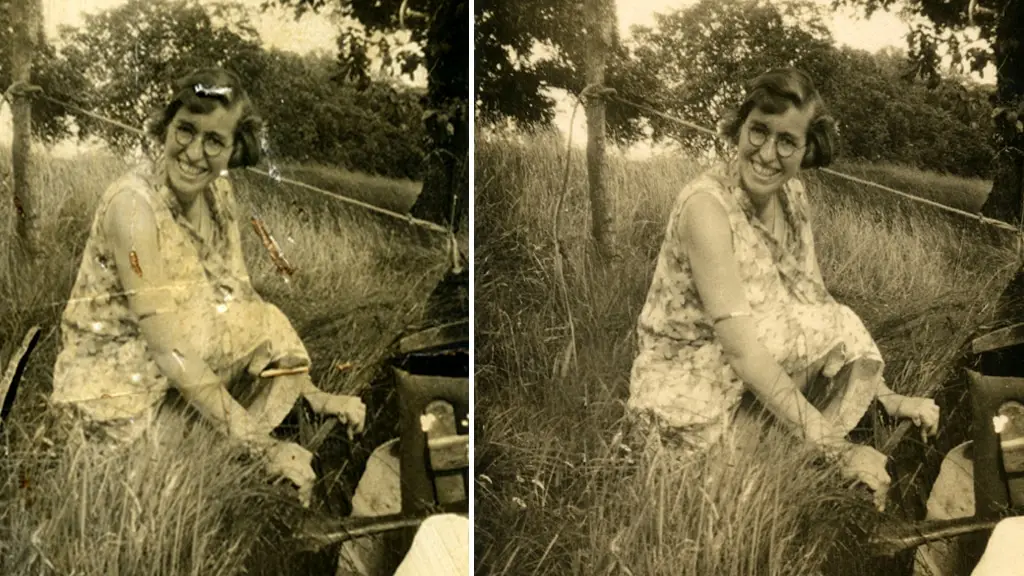
Digitisation and restoration are related but different processes.
Digitisation captures the photograph as a digital image.
Correction can involve adjustments such as colour, brightness, contrast, orientation or cropping.
Restoration can go further by addressing particular visual problems, depending on what is technically possible.
It is useful to establish what is included in a scanning service and what counts as an additional restoration or enhancement service.
The condition of the original also matters. A digital scan cannot recreate photographic information that has completely disappeared. A severely faded, scratched or damaged photograph may therefore produce a digital image that still reflects those limitations.
The Library of Congress notes that the quality of a digital copy varies according to the quality and condition of the original material.
Which method is best for a large family photo collection?
For a large collection, the decision often comes down to time versus control.
Use your phone if:
- You only have a small number of photographs.
- You mainly need quick digital copies.
- You need to photograph pictures that cannot easily be removed.
- Absolute consistency is not important.
- You want to share the images quickly.
Use a flatbed scanner if:
- You have a manageable collection.
- The photographs are reasonably flat and robust.
- You enjoy doing the work yourself.
- You want greater control over the scanning process.
- You are prepared to spend time naming, organising and backing up the files.
Consider professional photo scanning if:
- You have hundreds or thousands of photographs.
- The collection is important or irreplaceable.
- You want consistent results across the collection.
- You do not want to spend weeks scanning photographs.
- Some photographs are fragile or difficult to handle.
- You want the originals returned after digitisation.
- You need digital files suitable for viewing, sharing, archiving or future printing.
There is no requirement to use one method for an entire collection. You might photograph a few album pages for reference, scan a small number of loose prints yourself and send a large or fragile collection to a professional service.
Professional Photo Scanning
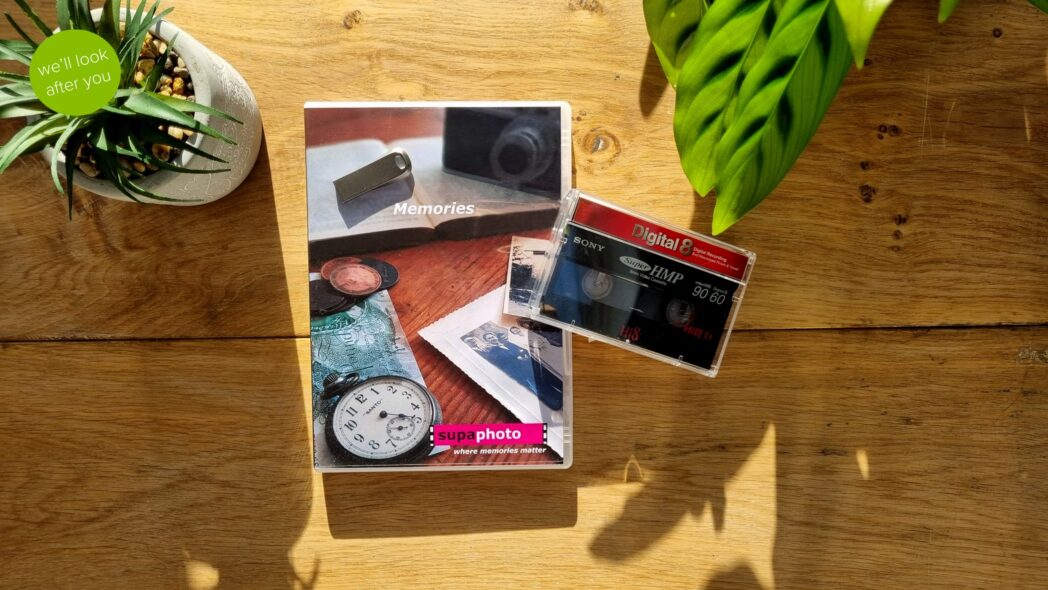
We provide a professional photo scanning service for loose photographs and other photographic materials. Its current service information says photographs can be digitised and supplied as digital files, with options including download, USB and DVD. It also describes preparation before scanning, including dusting, and offers colour correction and cropping as part of its service.
For photo albums specifically, our album scanning service can scan complete pages or individual photographs and return the original albums after digitisation.
How to prepare photographs before scanning
Whether you scan at home or use a professional service, a little preparation can make the collection easier to manage.
Before scanning
- Sort photographs into sensible groups.
- Keep photographs in their existing order where that order has meaning.
- Record dates, names and locations that may otherwise be forgotten.
- Identify photographs that are particularly fragile.
- Avoid writing on the front of photographs.
- Keep food, drink and lotions away from the collection.
- Handle photographs carefully by their edges where practical.
The National Archives recommends preparing a clean working area and taking care when handling photographs; it also notes that fingerprints can cause permanent staining on photographic materials.
Do not attempt to repair a damaged photograph simply because you intend to scan it. If a photograph is stuck, badly curled, brittle or showing signs of active mould, it is better to seek appropriate advice before subjecting it to further handling.
What file format should you choose?
For everyday family use, JPEG is convenient because it is widely supported and produces relatively compact files.
For more demanding archival or editing requirements, a less compressed or higher-quality format may be preferable.
There is no single format that is ideal for every purpose. The Library of Congress recommends considering the intended use when selecting digital formats and image specifications.
If you are paying for professional photo scanning, ask what file formats are available and whether the service can provide a higher-quality master file alongside easier-to-use copies.
Don’t forget digital preservation
Scanning your photographs is only the first part of preservation.
The National Archives recommends keeping the original material after digitisation because digital files have their own preservation risks. It also recommends maintaining multiple copies and keeping one copy separately from the others.
For an important family collection, consider keeping:
- A main copy on your computer or external drive
- A separate backup
- An additional copy in another physical location or suitable online storage
Also keep the original photographs where their condition and significance make that worthwhile.
Digitisation makes photographs easier to view and share, but it does not make the physical originals irrelevant.
So, which is best?
There is no single best method for every collection.
A phone is best for convenience. A flatbed scanner is useful when you want hands-on control over a manageable collection. Professional photo scanning becomes increasingly useful when you have a large, valuable, fragile or mixed collection and want consistent results without doing all the work yourself.
The most important consideration is not simply which device has the highest specification. It is whether the method can capture the information in your photographs appropriately while handling the originals safely.
Frequently Asked Questions
Is it better to scan photos or photograph them with a phone?
For quick copies, a phone can be perfectly practical. A scanner generally provides more controlled positioning and illumination for flat prints, while professional digitisation can provide a more consistent process across a large collection.
Can I scan old photographs at home?
Yes, provided the photographs are suitable for handling and your scanner is appropriate. Flat, reasonably robust prints are generally easier to scan than curled, brittle or damaged photographs. The National Archives recommends extra care with fragile originals.
What is the best resolution for scanning old photos?
There is no single resolution that suits every photograph. The appropriate setting depends on the size and condition of the original and what you want to do with the digital image. Higher resolution can be useful when you need more detail or larger reproductions, but resolution should not be considered separately from colour and tonal quality.
Should I scan my photographs as JPEG or TIFF?
JPEG is convenient for everyday viewing and sharing. TIFF can be useful where you want a higher-quality file for editing or preservation purposes. Your choice should depend on how you intend to use and store the digital images.
Is professional photo scanning worth it?
It can be particularly useful for large collections, fragile originals or photographs that are important enough that you do not want to experiment with them yourself. The main benefit is not simply the equipment; it is the combination of preparation, capture, consistency, quality control and time saved.
Should I keep my photographs after scanning?
Yes. Digitisation creates an accessible copy but does not automatically replace the original. The National Archives recommends keeping originals after digitisation because digital files have their own preservation risks.
TL;DR
Photo scanning is usually the most practical approach when you want consistent, high-quality digital copies, while a phone suits quick copies and a flatbed scanner works well for smaller collections. For large, valuable or fragile collections, professional scanning can reduce handling and save considerable time.